Neon Purple Holi Powder Burst on White Kurta
AI Photo Prompt
Want more trending photo prompts? Discover them in the Prompt King Android app on Google Play.
About this prompt
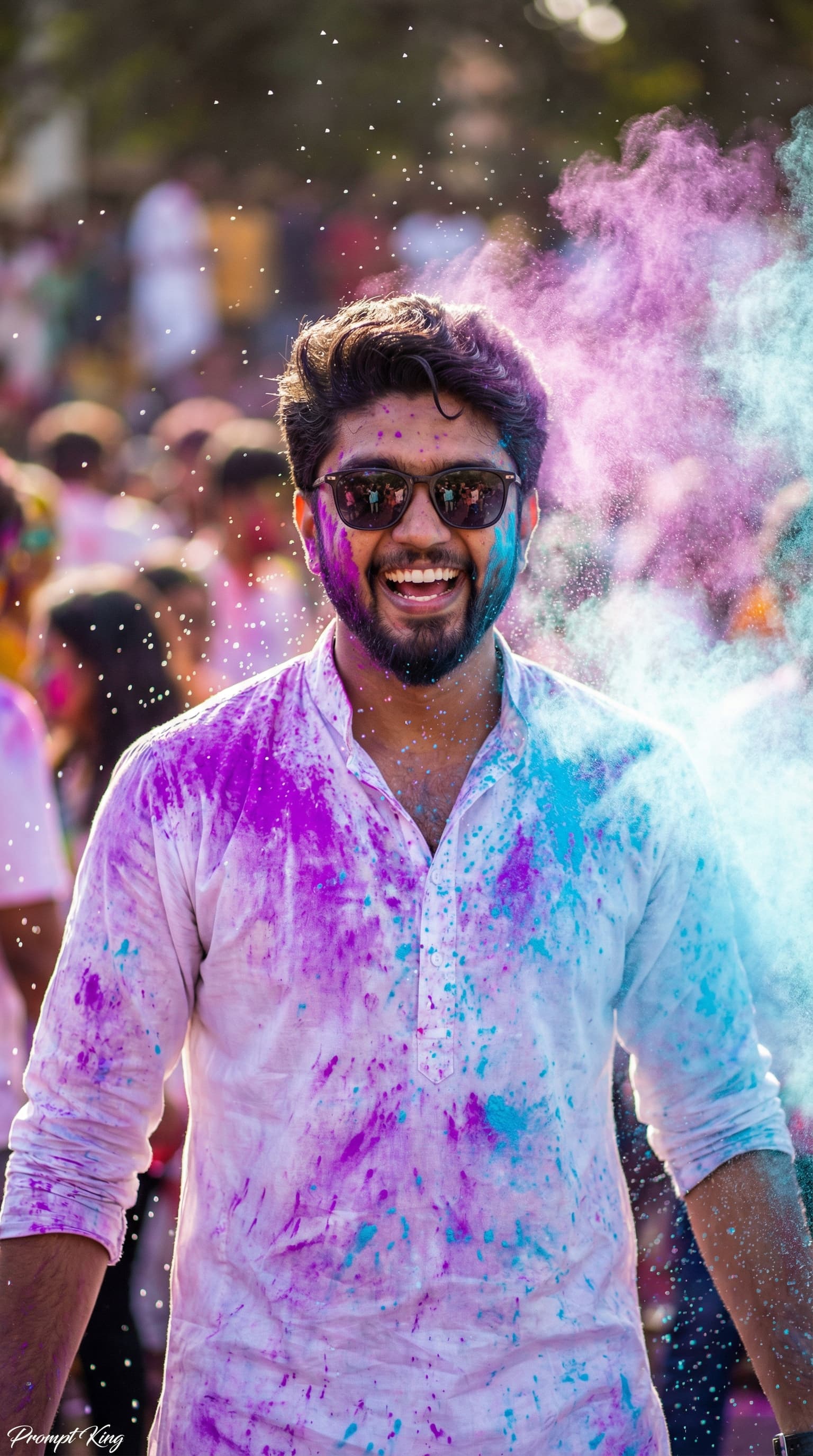
This prompt captures a high-speed photograph of a young man smiling naturally as a cloud of neon purple and sky-blue Holi powder bursts around him. He wears a crisp white kurta and sunglasses, and the kurta is quickly turning into a messy canvas of colour as powder and water land on it. Water droplets hang in mid-air, and his expression is candid, with bright eyes and a relaxed posture that shows real festive happiness. The background is a soft bokeh blur of a lively Holi crowd, so the celebration is felt without distracting from the subject. Cinematic backlighting creates a glowing rim around his silhouette and brings out wet fabric texture and fine skin detail. The image is sharp and freeze-framed, with strong contrast between the white kurta and vivid powder colours. It is ideal for Holi greetings, festival profile pictures, WhatsApp status updates and Instagram posts in March. It suits young men who want a cheerful, energetic festival portrait. Upload a clear photo, as the prompt uses your reference image for the face.
Lighting, colour and composition
Backlighting forms a bright rim around the hair and shoulders, while front fill keeps the face clear. The palette relies on white fabric with neon purple and sky blue, plus warm crowd bokeh. The subject is centred, with powder clouds wrapping around him to frame the face.
Ways to make it your own
- Change the powder colours to pink and yellow for a warmer, sunnier Holi palette.
- Remove the sunglasses to show the eyes and make the smile feel more personal.
- Use a 9:16 vertical ratio for a Holi WhatsApp status or Instagram Reel cover.
Best for
Festival photo ideas and creative portrait inspiration.
Suggested framing
Use the aspect ratio or framing described in the prompt, then adapt it for your intended platform.
Customization ideas
Adjust the clothing, background, lighting, colors and composition to match your own idea.
How to use
Copy the prompt, adapt it to your idea, and paste it into your preferred compatible AI tool. Follow that tool’s instructions for reference photos.
A few helpful answers.
What type of image does this prompt create?
In a compatible AI tool, this prompt is intended as a starting point for this prompt captures a high-speed photograph of a young man smiling naturally as a cloud of neon purple and sky-blue Holi powder bursts around him. He wears a crisp white kurta and sunglasses, and the kurta is quickly turning into a messy canvas of colour as powder and water land on it. Water droplets hang in mid-air, and his expression is candid, with bright eyes and a relaxed posture that shows real festive happiness. The background is a soft bokeh blur of a lively Holi crowd, so the celebration is felt without distracting from the subject. Cinematic backlighting creates a glowing rim around his silhouette and brings out wet fabric texture and fine skin detail. The image is sharp and freeze-framed, with strong contrast between the white kurta and vivid powder colours. It is ideal for Holi greetings, festival profile pictures, WhatsApp status updates and Instagram posts in March. It suits young men who want a cheerful, energetic festival portrait. Upload a clear photo, as the prompt uses your reference image for the face. Results depend on the tool, settings and references you use.
Can I customize the clothing or background?
Yes. Replace the clothing, setting or colors in the prompt with your own choices. Keep descriptions consistent and adjust one detail at a time.
What aspect ratio works best?
Start with Use the aspect ratio or framing described in the prompt, then adapt it for your intended platform.. A 4:5 ratio works well for a portrait feed post. Adjust the crop for your intended platform and your tool’s available settings.
Does Prompt King generate the image?
No. Prompt King helps users discover and copy prompts that can be used with compatible AI tools.
Can I use this for social media ideas?
Yes. Use it as creative inspiration and customize the result for your audience. Use photos you have permission to upload, and check your chosen tool’s terms before publishing.