
Navy Floral Saree Window Portrait Over the Shoulder
AI Photo Prompt
Want more trending photo prompts? Discover them in the Prompt King Android app on Google Play.
About this prompt
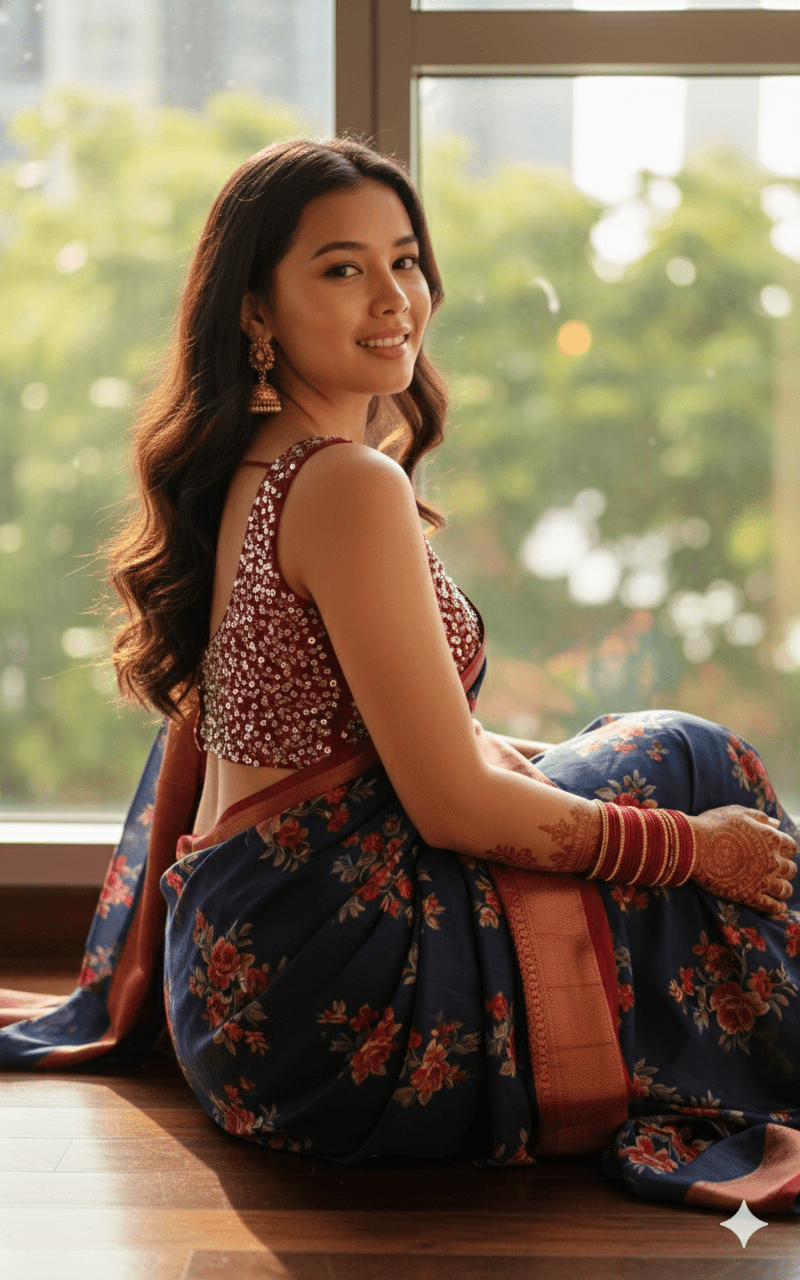
A cinematic indoor portrait of a woman sitting gracefully on the floor near a large window. She wears a navy blue and crimson floral printed saree paired with a deep red sleeveless blouse covered in fine silver sequins. Looking back over her shoulder with a warm, gentle smile, she lets her long, dark wavy hair cascade down her back, which shows off the blouse design and the drape of the saree. Traditional gold jhumka earrings, a stack of red and gold bangles, and detailed mehendi on her hands and forearms add a festive touch. Soft natural sunlight streams through the window, creating a warm glow on her skin and a gentle bokeh in the background. The over-the-shoulder pose is popular for saree photography because it highlights the back, hair and profile together. Your uploaded photo is used for the face. This image suits Karva Chauth, Teej, Diwali or wedding season posts, an anniversary photo, or a graceful display picture. It also works as reference for photographers planning an indoor saree shoot using only window light, since it shows how much mood a single soft light source can create.
Lighting, colour and composition
Directional window light from one side gives soft modelling on the face and a warm glow along the hair. The palette pairs navy and crimson florals with deep red, silver sequins and gold. A seated, over-the-shoulder composition places the subject low in the frame with the window light behind, creating gentle depth and bokeh.
Ways to make it your own
- Swap the floral saree for a plain red Banarasi to make the sequinned blouse stand out more.
- Add sheer curtains at the window to soften the light further for a dreamier result.
- Use a 4:5 vertical crop to keep both the face and the cascading hair in frame.
Best for
Girls photo ideas and creative portrait inspiration.
Suggested framing
Use the aspect ratio or framing described in the prompt, then adapt it for your intended platform.
Customization ideas
Adjust the clothing, background, lighting, colors and composition to match your own idea.
How to use
Copy the prompt, adapt it to your idea, and paste it into your preferred compatible AI tool. Follow that tool’s instructions for reference photos.
A few helpful answers.
What type of image does this prompt create?
In a compatible AI tool, this prompt is intended as a starting point for a cinematic indoor portrait of a woman sitting gracefully on the floor near a large window. She wears a navy blue and crimson floral printed saree paired with a deep red sleeveless blouse covered in fine silver sequins. Looking back over her shoulder with a warm, gentle smile, she lets her long, dark wavy hair cascade down her back, which shows off the blouse design and the drape of the saree. Traditional gold jhumka earrings, a stack of red and gold bangles, and detailed mehendi on her hands and forearms add a festive touch. Soft natural sunlight streams through the window, creating a warm glow on her skin and a gentle bokeh in the background. The over-the-shoulder pose is popular for saree photography because it highlights the back, hair and profile together. Your uploaded photo is used for the face. This image suits Karva Chauth, Teej, Diwali or wedding season posts, an anniversary photo, or a graceful display picture. It also works as reference for photographers planning an indoor saree shoot using only window light, since it shows how much mood a single soft light source can create. Results depend on the tool, settings and references you use.
Can I customize the clothing or background?
Yes. Replace the clothing, setting or colors in the prompt with your own choices. Keep descriptions consistent and adjust one detail at a time.
What aspect ratio works best?
Start with Use the aspect ratio or framing described in the prompt, then adapt it for your intended platform.. A 4:5 ratio works well for a portrait feed post. Adjust the crop for your intended platform and your tool’s available settings.
Does Prompt King generate the image?
No. Prompt King helps users discover and copy prompts that can be used with compatible AI tools.
Can I use this for social media ideas?
Yes. Use it as creative inspiration and customize the result for your audience. Use photos you have permission to upload, and check your chosen tool’s terms before publishing.




