
Moody Two Person Portrait With Black Suit Look
AI Photo Prompt
Want more trending photo prompts? Discover them in the Prompt King Android app on Google Play.
About this prompt
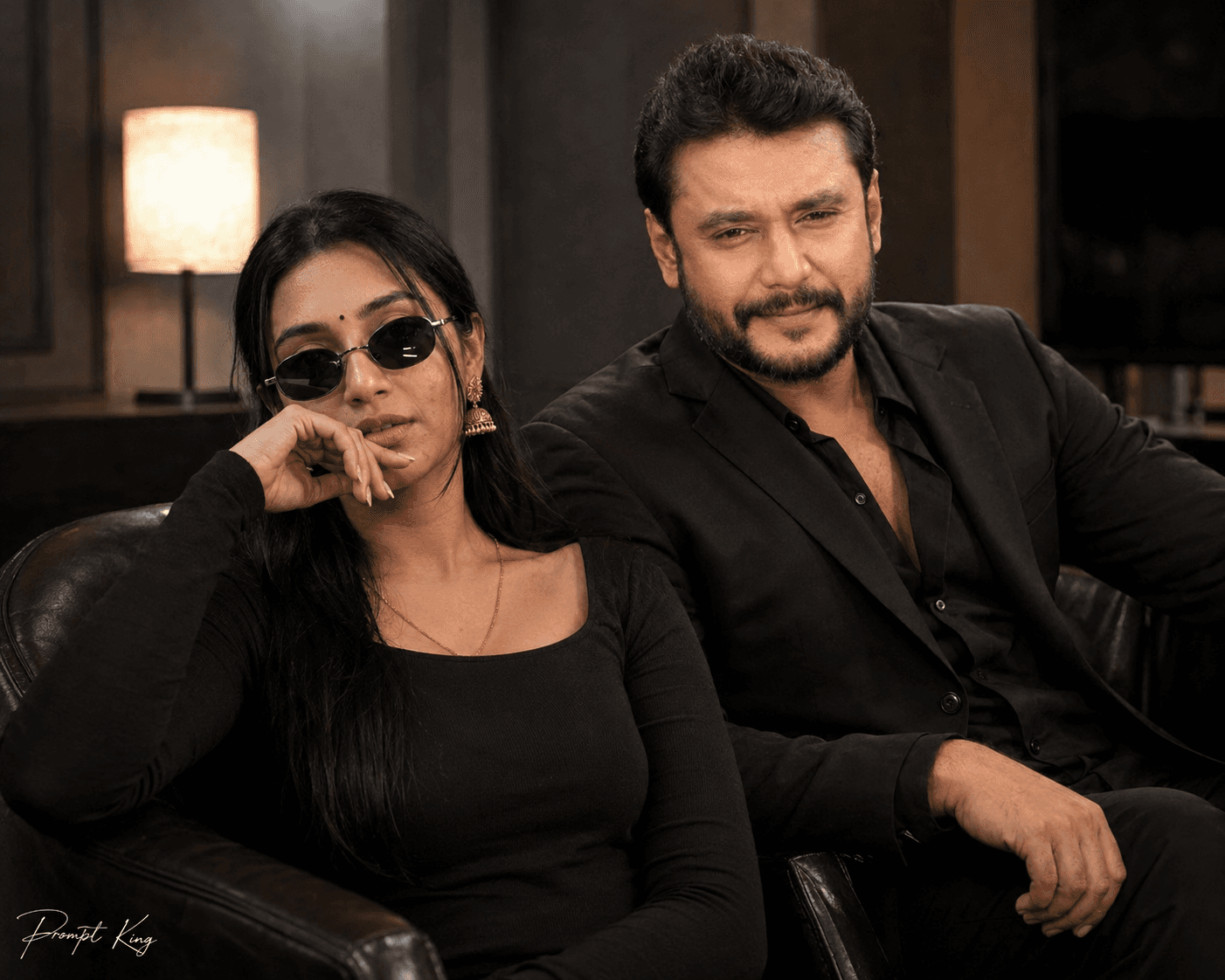
This prompt creates a two-person cinematic portrait using two uploaded photos. The first photo is used as the reference face for a young woman, keeping her exact facial features and hair. She wears a black fitted full-sleeve top with small black sunglasses and sits on the left side, leaning back with one hand near her mouth. Her body language is distant and withdrawn, which gives the image an emotional, unspoken tension. The second photo is used for a man styled in a black suit or dark jacket, sitting on a chair and leaning slightly while looking directly at the camera. The contrast between her turned-away posture and his steady gaze creates a story-like frame that suits fan edits, dramatic couple concepts, reel thumbnails and short film style posters. The all-black wardrobe keeps the palette simple and lets expressions carry the mood. For the best result, upload two clear, well-lit photos with visible faces, one for each person, and make sure the first image is the woman's reference. A small Prompt King signature is placed in the left corner of the final image.
Lighting, colour and composition
Low-key lighting suits the all-black wardrobe, keeping shadows deep and faces clearly lit. The palette is mostly black with natural skin tones. The two subjects sit apart in the frame, her body angled away and his facing the lens, creating visual tension between them.
Ways to make it your own
- Upload the woman's photo first, since the prompt treats the first image as her reference.
- Use two photos with similar lighting so both faces blend naturally into one scene.
- Ask for a dim café or studio backdrop to give the moody scene more context.
Best for
Girls photo ideas and creative portrait inspiration.
Suggested framing
Use the aspect ratio or framing described in the prompt, then adapt it for your intended platform.
Customization ideas
Adjust the clothing, background, lighting, colors and composition to match your own idea.
How to use
Copy the prompt, adapt it to your idea, and paste it into your preferred compatible AI tool. Follow that tool’s instructions for reference photos.
A few helpful answers.
What type of image does this prompt create?
In a compatible AI tool, this prompt is intended as a starting point for this prompt creates a two-person cinematic portrait using two uploaded photos. The first photo is used as the reference face for a young woman, keeping her exact facial features and hair. She wears a black fitted full-sleeve top with small black sunglasses and sits on the left side, leaning back with one hand near her mouth. Her body language is distant and withdrawn, which gives the image an emotional, unspoken tension. The second photo is used for a man styled in a black suit or dark jacket, sitting on a chair and leaning slightly while looking directly at the camera. The contrast between her turned-away posture and his steady gaze creates a story-like frame that suits fan edits, dramatic couple concepts, reel thumbnails and short film style posters. The all-black wardrobe keeps the palette simple and lets expressions carry the mood. For the best result, upload two clear, well-lit photos with visible faces, one for each person, and make sure the first image is the woman's reference. A small Prompt King signature is placed in the left corner of the final image. Results depend on the tool, settings and references you use.
Can I customize the clothing or background?
Yes. Replace the clothing, setting or colors in the prompt with your own choices. Keep descriptions consistent and adjust one detail at a time.
What aspect ratio works best?
Start with Use the aspect ratio or framing described in the prompt, then adapt it for your intended platform.. A 4:5 ratio works well for a portrait feed post. Adjust the crop for your intended platform and your tool’s available settings.
Does Prompt King generate the image?
No. Prompt King helps users discover and copy prompts that can be used with compatible AI tools.
Can I use this for social media ideas?
Yes. Use it as creative inspiration and customize the result for your audience. Use photos you have permission to upload, and check your chosen tool’s terms before publishing.




