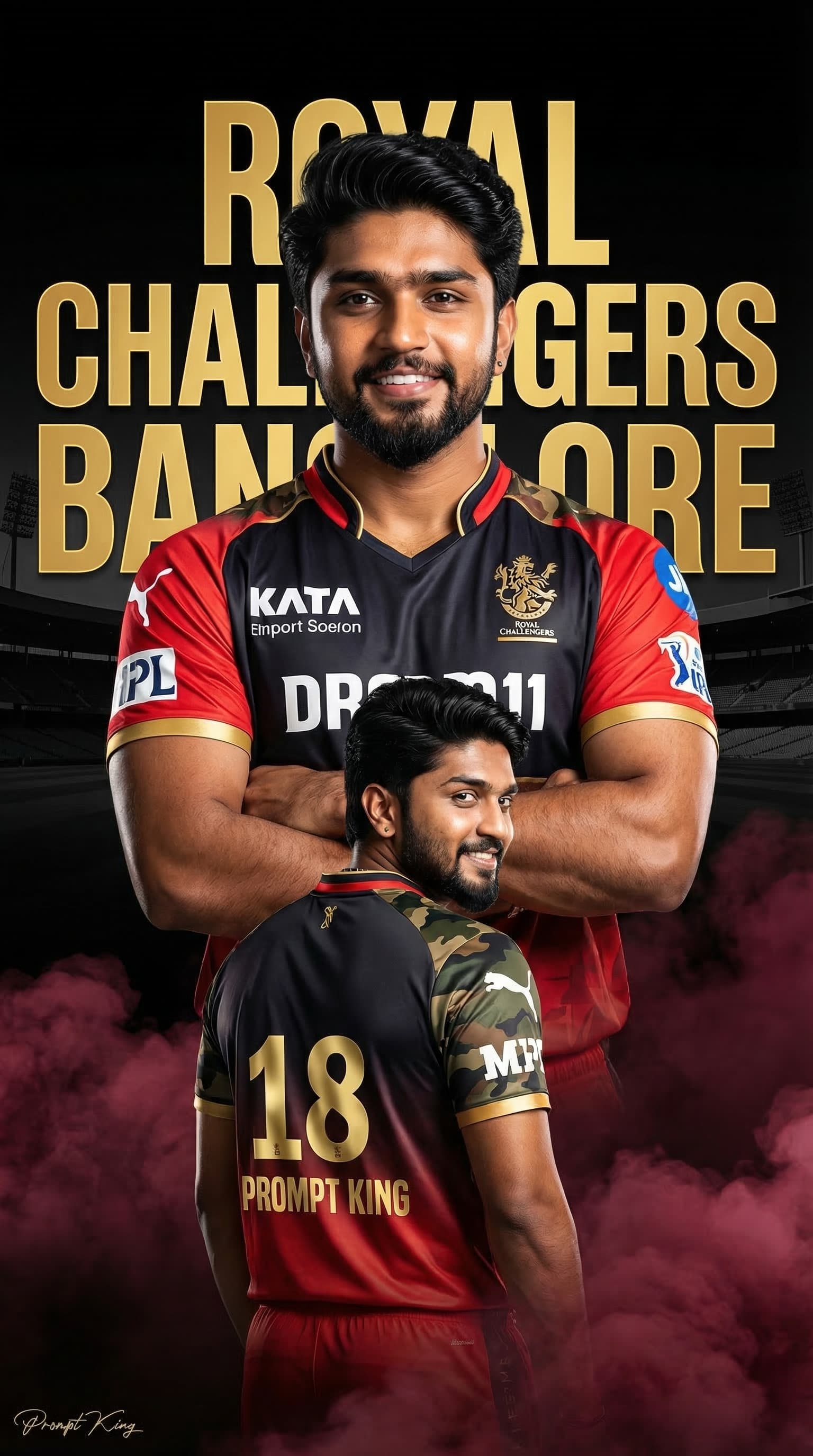
Maroon Smoke Cricket Poster With Golden Number 18
AI Photo Prompt
Want more trending photo prompts? Discover them in the Prompt King Android app on Google Play.
About this prompt
This prompt creates a sports poster from your photo in a 2025-style red and dark franchise jersey with white sponsor logos on the chest and sleeves. You appear twice: a large chest-up portrait in the centre with arms crossed and a confident smile, and a back-body image below showing a golden number 18, the name Prompt King and army-print panels on both shoulders. Maroon smoke rises from the bottom of the frame. The background is dark black with a large golden team-style emblem and a stadium silhouette, and vivid, high-contrast lighting makes the face and jersey stand out sharply. The overall style is colourful and sharp, like an official team announcement graphic. Because the original prompt depends on a specific league team's logo, name and a number closely tied to a well-known player, this design is best adapted before personal use: keep the dark background, gold accents and smoke, but use your own club name, emblem and number. In that form it works as a match-day profile picture, a cricket club poster or a birthday edit for a fan.
Lighting, colour and composition
Hard, high-contrast lighting cuts through a black background, and gold accents add shine. The palette combines red, black, maroon smoke and metallic gold. The central portrait is framed by the emblem behind, with the back-view figure placed below to complete a vertical, layered poster.
Ways to make it your own
- Use a custom emblem such as your initials in gold instead of an official team logo.
- Remove the army print on the shoulders for a cleaner, more classic jersey design.
- Change the maroon smoke to white or grey for a calmer, more premium look.
Best for
Prompt photo ideas and creative portrait inspiration.
Suggested framing
Use the aspect ratio or framing described in the prompt, then adapt it for your intended platform.
Customization ideas
Adjust the clothing, background, lighting, colors and composition to match your own idea.
How to use
Copy the prompt, adapt it to your idea, and paste it into your preferred compatible AI tool. Follow that tool’s instructions for reference photos.
A few helpful answers.
What type of image does this prompt create?
In a compatible AI tool, this prompt is intended as a starting point for this prompt creates a sports poster from your photo in a 2025-style red and dark franchise jersey with white sponsor logos on the chest and sleeves. You appear twice: a large chest-up portrait in the centre with arms crossed and a confident smile, and a back-body image below showing a golden number 18, the name Prompt King and army-print panels on both shoulders. Maroon smoke rises from the bottom of the frame. The background is dark black with a large golden team-style emblem and a stadium silhouette, and vivid, high-contrast lighting makes the face and jersey stand out sharply. The overall style is colourful and sharp, like an official team announcement graphic. Because the original prompt depends on a specific league team's logo, name and a number closely tied to a well-known player, this design is best adapted before personal use: keep the dark background, gold accents and smoke, but use your own club name, emblem and number. In that form it works as a match-day profile picture, a cricket club poster or a birthday edit for a fan. Results depend on the tool, settings and references you use.
Can I customize the clothing or background?
Yes. Replace the clothing, setting or colors in the prompt with your own choices. Keep descriptions consistent and adjust one detail at a time.
What aspect ratio works best?
Start with Use the aspect ratio or framing described in the prompt, then adapt it for your intended platform.. A 4:5 ratio works well for a portrait feed post. Adjust the crop for your intended platform and your tool’s available settings.
Does Prompt King generate the image?
No. Prompt King helps users discover and copy prompts that can be used with compatible AI tools.
Can I use this for social media ideas?
Yes. Use it as creative inspiration and customize the result for your audience. Use photos you have permission to upload, and check your chosen tool’s terms before publishing.