Kerala Kasavu Style Studio Portrait for Young Girls
AI Photo Prompt
Want more trending photo prompts? Discover them in the Prompt King Android app on Google Play.
About this prompt
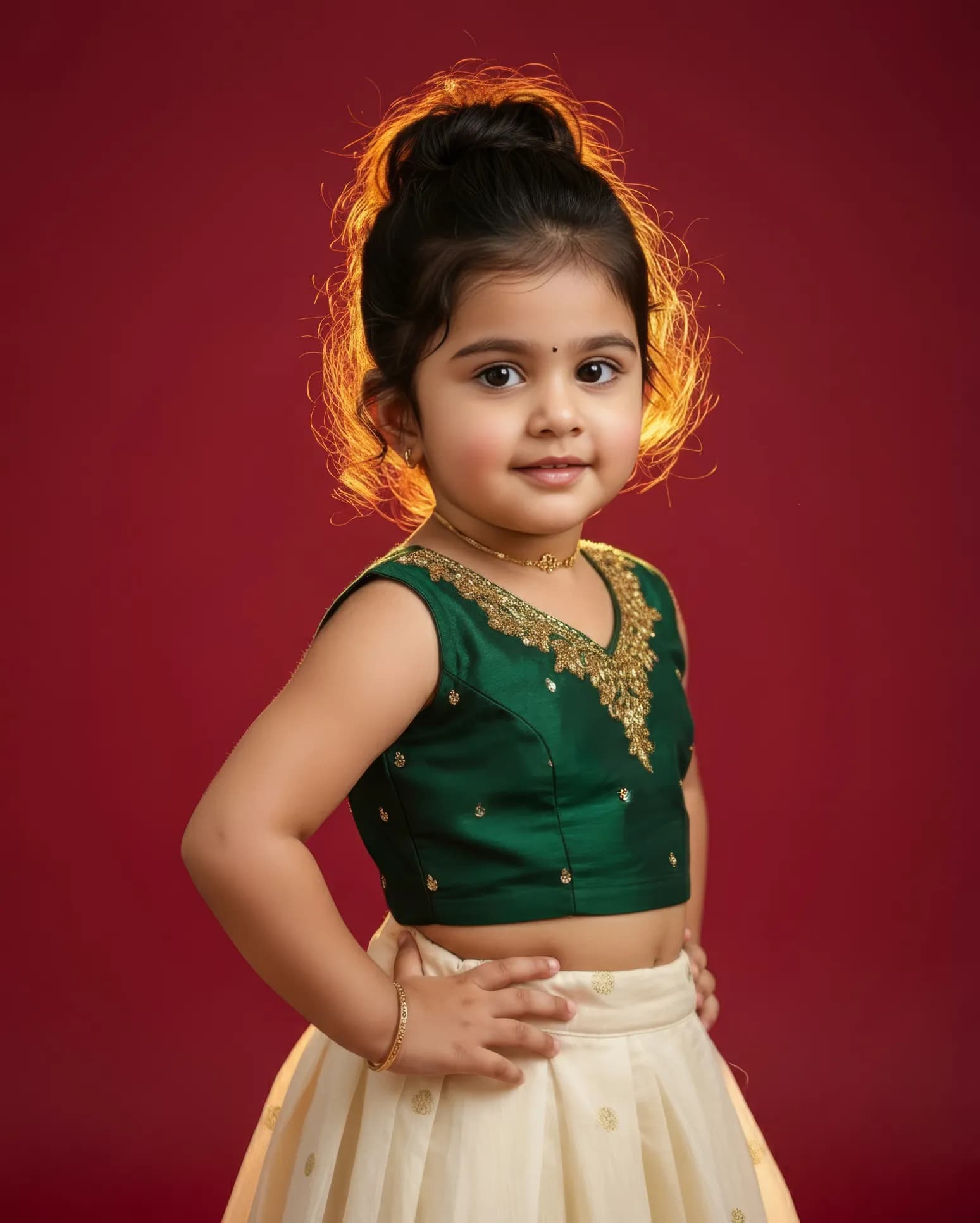
This children's prompt creates a studio portrait of a young girl dressed in a Kerala Kasavu-inspired outfit. She wears a deep emerald green sleeveless top with gold zari embroidery around the neckline and a flowing cream skirt in soft cotton silk with a subtle woven pattern, the classic Kasavu colour pairing. Her hair is gathered into a neat high bun, and a delicate gold choker and bracelet complete the traditional look. Strong backlighting forms a bright halo around her head and shoulders, while the front of her face stays softly lit as she smiles gently at the camera. The medium close-up framing captures both her expression and the details of the embroidery. This prompt is a good choice for Onam greetings, Vishu wishes, school cultural day photos, Kerala Piravi posts and family albums. Parents can also use it as a keepsake portrait or a birthday image with a traditional theme. Use a clear, well-lit photo of the child facing the camera for the closest likeness, and always ensure you have the right to edit the photo. The prompt adds a dynamic pose instruction, which you can simplify if you prefer a calm, seated portrait.
Lighting, colour and composition
Luminous backlighting creates a halo effect, with soft frontal fill keeping the face bright. The palette pairs emerald green and gold zari with creamy white, reflecting traditional Kerala attire. A dark or neutral studio background makes the colours stand out, and medium close-up framing balances facial expression with garment detail.
Ways to make it your own
- Add a small jasmine string around the bun for a more festive Onam look.
- Swap the emerald top for maroon or mustard while keeping the cream Kasavu skirt.
- Ask for a pookalam floral carpet in the foreground to make it an Onam greeting image.
Best for
Children photo ideas and creative portrait inspiration.
Suggested framing
Use the aspect ratio or framing described in the prompt, then adapt it for your intended platform.
Customization ideas
Adjust the clothing, background, lighting, colors and composition to match your own idea.
How to use
Copy the prompt, adapt it to your idea, and paste it into your preferred compatible AI tool. Follow that tool’s instructions for reference photos.
A few helpful answers.
What type of image does this prompt create?
In a compatible AI tool, this prompt is intended as a starting point for this children's prompt creates a studio portrait of a young girl dressed in a Kerala Kasavu-inspired outfit. She wears a deep emerald green sleeveless top with gold zari embroidery around the neckline and a flowing cream skirt in soft cotton silk with a subtle woven pattern, the classic Kasavu colour pairing. Her hair is gathered into a neat high bun, and a delicate gold choker and bracelet complete the traditional look. Strong backlighting forms a bright halo around her head and shoulders, while the front of her face stays softly lit as she smiles gently at the camera. The medium close-up framing captures both her expression and the details of the embroidery. This prompt is a good choice for Onam greetings, Vishu wishes, school cultural day photos, Kerala Piravi posts and family albums. Parents can also use it as a keepsake portrait or a birthday image with a traditional theme. Use a clear, well-lit photo of the child facing the camera for the closest likeness, and always ensure you have the right to edit the photo. The prompt adds a dynamic pose instruction, which you can simplify if you prefer a calm, seated portrait. Results depend on the tool, settings and references you use.
Can I customize the clothing or background?
Yes. Replace the clothing, setting or colors in the prompt with your own choices. Keep descriptions consistent and adjust one detail at a time.
What aspect ratio works best?
Start with Use the aspect ratio or framing described in the prompt, then adapt it for your intended platform.. A 4:5 ratio works well for a portrait feed post. Adjust the crop for your intended platform and your tool’s available settings.
Does Prompt King generate the image?
No. Prompt King helps users discover and copy prompts that can be used with compatible AI tools.
Can I use this for social media ideas?
Yes. Use it as creative inspiration and customize the result for your audience. Use photos you have permission to upload, and check your chosen tool’s terms before publishing.