
Grainy Vintage Saree Portrait With Flower in Curls
AI Photo Prompt
Want more trending photo prompts? Discover them in the Prompt King Android app on Google Play.
About this prompt
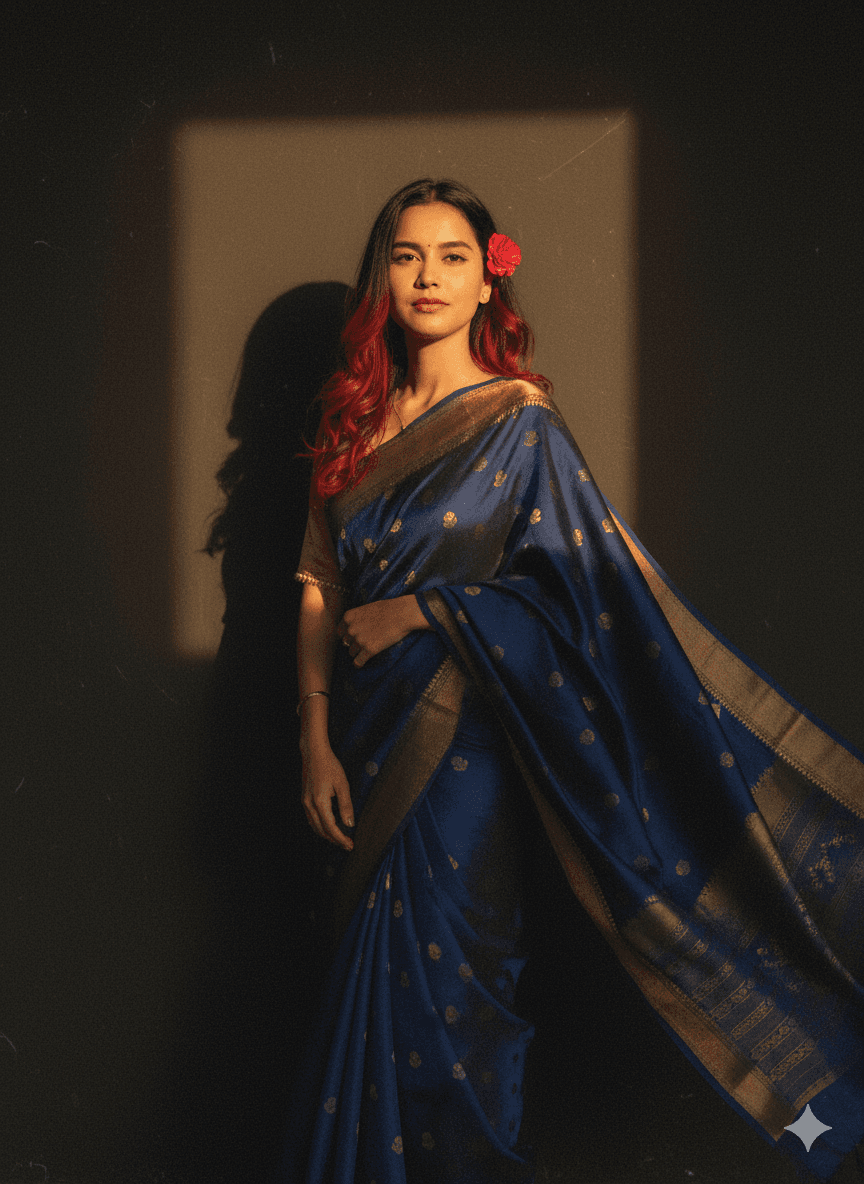
This retro prompt uses your attached photo, keeping the same face and hairstyle, and turns it into a grainy yet bright vintage image inspired by 1990s Indian cinema. The subject wears a Pinterest-style aesthetic saree; the original wording mentions both blue and red, so pick one colour for consistent results. Her hair is described with red-tinted curls and a small flower tucked into them, and a windy environment adds romantic movement to the saree and hair. She stands against a solid wall with deep shadows and dramatic contrast, giving the scene a mysterious, artistic mood. This prompt is popular for nostalgic Instagram posts, retro birthday shoots, saree day celebrations and edits inspired by classic film songs. Because it explicitly asks to keep your hairstyle, it may be a better choice than similar retro prompts if you want your real hair preserved. A clear, well-lit reference photo will give the best result. The original text includes a typo, 'Walde', and a stray '@' symbol, both of which can be cleaned up. Choosing a blue saree gives a cooler, moodier take on the retro look compared with red.
Lighting, colour and composition
Strong directional light creates deep shadows and dramatic contrast against a plain wall. A blue or red saree provides the main colour, softened by film grain and vintage fading. A medium composition places the subject close to the wall, with wind-swept fabric and curls adding movement.
Ways to make it your own
- Choose either blue or red for the saree, since the original mentions both.
- Remove the '@' symbol and correct 'Walde' to 'wall' in the prompt.
- Delete 'red hair' if you want your natural hair colour kept.
Best for
Girls photo ideas and creative portrait inspiration.
Suggested framing
Use the aspect ratio or framing described in the prompt, then adapt it for your intended platform.
Customization ideas
Adjust the clothing, background, lighting, colors and composition to match your own idea.
How to use
Copy the prompt, adapt it to your idea, and paste it into your preferred compatible AI tool. Follow that tool’s instructions for reference photos.
A few helpful answers.
What type of image does this prompt create?
In a compatible AI tool, this prompt is intended as a starting point for this retro prompt uses your attached photo, keeping the same face and hairstyle, and turns it into a grainy yet bright vintage image inspired by 1990s Indian cinema. The subject wears a Pinterest-style aesthetic saree; the original wording mentions both blue and red, so pick one colour for consistent results. Her hair is described with red-tinted curls and a small flower tucked into them, and a windy environment adds romantic movement to the saree and hair. She stands against a solid wall with deep shadows and dramatic contrast, giving the scene a mysterious, artistic mood. This prompt is popular for nostalgic Instagram posts, retro birthday shoots, saree day celebrations and edits inspired by classic film songs. Because it explicitly asks to keep your hairstyle, it may be a better choice than similar retro prompts if you want your real hair preserved. A clear, well-lit reference photo will give the best result. The original text includes a typo, 'Walde', and a stray '@' symbol, both of which can be cleaned up. Choosing a blue saree gives a cooler, moodier take on the retro look compared with red. Results depend on the tool, settings and references you use.
Can I customize the clothing or background?
Yes. Replace the clothing, setting or colors in the prompt with your own choices. Keep descriptions consistent and adjust one detail at a time.
What aspect ratio works best?
Start with Use the aspect ratio or framing described in the prompt, then adapt it for your intended platform.. A 4:5 ratio works well for a portrait feed post. Adjust the crop for your intended platform and your tool’s available settings.
Does Prompt King generate the image?
No. Prompt King helps users discover and copy prompts that can be used with compatible AI tools.
Can I use this for social media ideas?
Yes. Use it as creative inspiration and customize the result for your audience. Use photos you have permission to upload, and check your chosen tool’s terms before publishing.




