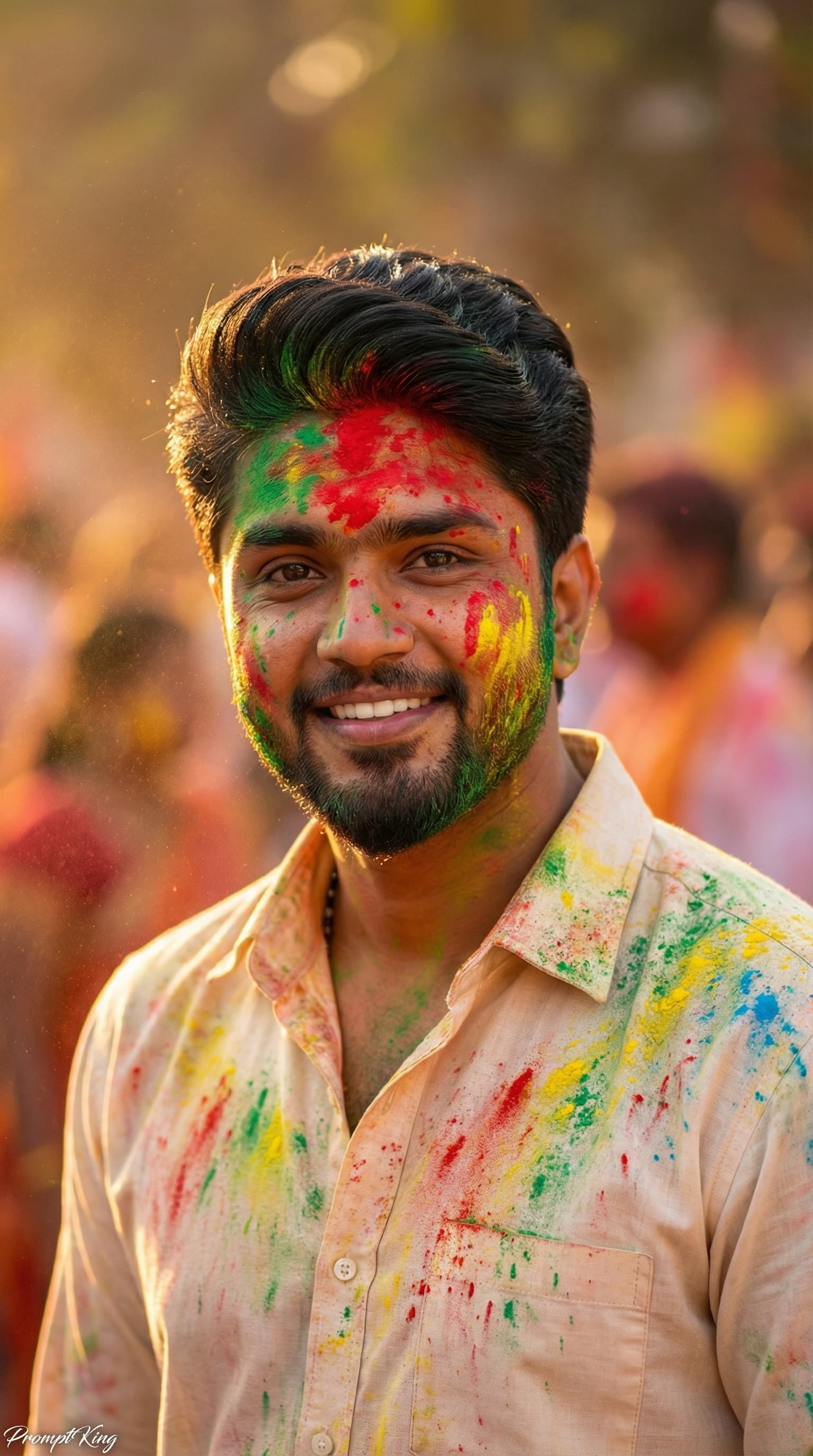
Golden Hour Holi Close-Up in Cream Shirt
AI Photo Prompt
Want more trending photo prompts? Discover them in the Prompt King Android app on Google Play.
About this prompt
This prompt turns your photo into a realistic DSLR-quality close-up portrait of the same young Indian man celebrating Holi during golden hour. It keeps his original facial features, face structure, skin tone, short neatly styled black hair, light trimmed beard and moustache, and natural expression exactly as they are, so the identity stays accurate. His shirt is changed to a light cream or off-white button-up shirt that is heavily covered in vibrant Holi colours, giving a festive look while keeping the image grounded and natural. The close-up framing focuses on the face and upper body, letting colour on the skin and fabric show clearly. Warm, low golden-hour sunlight adds soft glow and gentle shadows, which flatters skin tones and gives the picture a calm, late-afternoon feel compared with bright midday shots. The prompt is short and can be extended with background details such as a courtyard, friends in soft focus or floating powder. It suits men who want a realistic Holi profile picture, a simple festival greeting or a natural-looking edit of an existing photo.
Lighting, colour and composition
Low golden-hour sunlight creates warm highlights on the cheekbones and soft shadows elsewhere. The palette is cream fabric with bright pink, yellow, green and blue powder over warm amber light. A tight close-up keeps the face central with minimal background distraction.
Ways to make it your own
- Add a blurred courtyard or friends in the background to give more festive context.
- Specify which colours cover the shirt, such as pink and green, for a controlled palette.
- Use a 1:1 square crop for a clean profile picture on WhatsApp or LinkedIn.
Best for
Festival photo ideas and creative portrait inspiration.
Suggested framing
Use the aspect ratio or framing described in the prompt, then adapt it for your intended platform.
Customization ideas
Adjust the clothing, background, lighting, colors and composition to match your own idea.
How to use
Copy the prompt, adapt it to your idea, and paste it into your preferred compatible AI tool. Follow that tool’s instructions for reference photos.
A few helpful answers.
What type of image does this prompt create?
In a compatible AI tool, this prompt is intended as a starting point for this prompt turns your photo into a realistic DSLR-quality close-up portrait of the same young Indian man celebrating Holi during golden hour. It keeps his original facial features, face structure, skin tone, short neatly styled black hair, light trimmed beard and moustache, and natural expression exactly as they are, so the identity stays accurate. His shirt is changed to a light cream or off-white button-up shirt that is heavily covered in vibrant Holi colours, giving a festive look while keeping the image grounded and natural. The close-up framing focuses on the face and upper body, letting colour on the skin and fabric show clearly. Warm, low golden-hour sunlight adds soft glow and gentle shadows, which flatters skin tones and gives the picture a calm, late-afternoon feel compared with bright midday shots. The prompt is short and can be extended with background details such as a courtyard, friends in soft focus or floating powder. It suits men who want a realistic Holi profile picture, a simple festival greeting or a natural-looking edit of an existing photo. Results depend on the tool, settings and references you use.
Can I customize the clothing or background?
Yes. Replace the clothing, setting or colors in the prompt with your own choices. Keep descriptions consistent and adjust one detail at a time.
What aspect ratio works best?
Start with Use the aspect ratio or framing described in the prompt, then adapt it for your intended platform.. A 4:5 ratio works well for a portrait feed post. Adjust the crop for your intended platform and your tool’s available settings.
Does Prompt King generate the image?
No. Prompt King helps users discover and copy prompts that can be used with compatible AI tools.
Can I use this for social media ideas?
Yes. Use it as creative inspiration and customize the result for your audience. Use photos you have permission to upload, and check your chosen tool’s terms before publishing.