
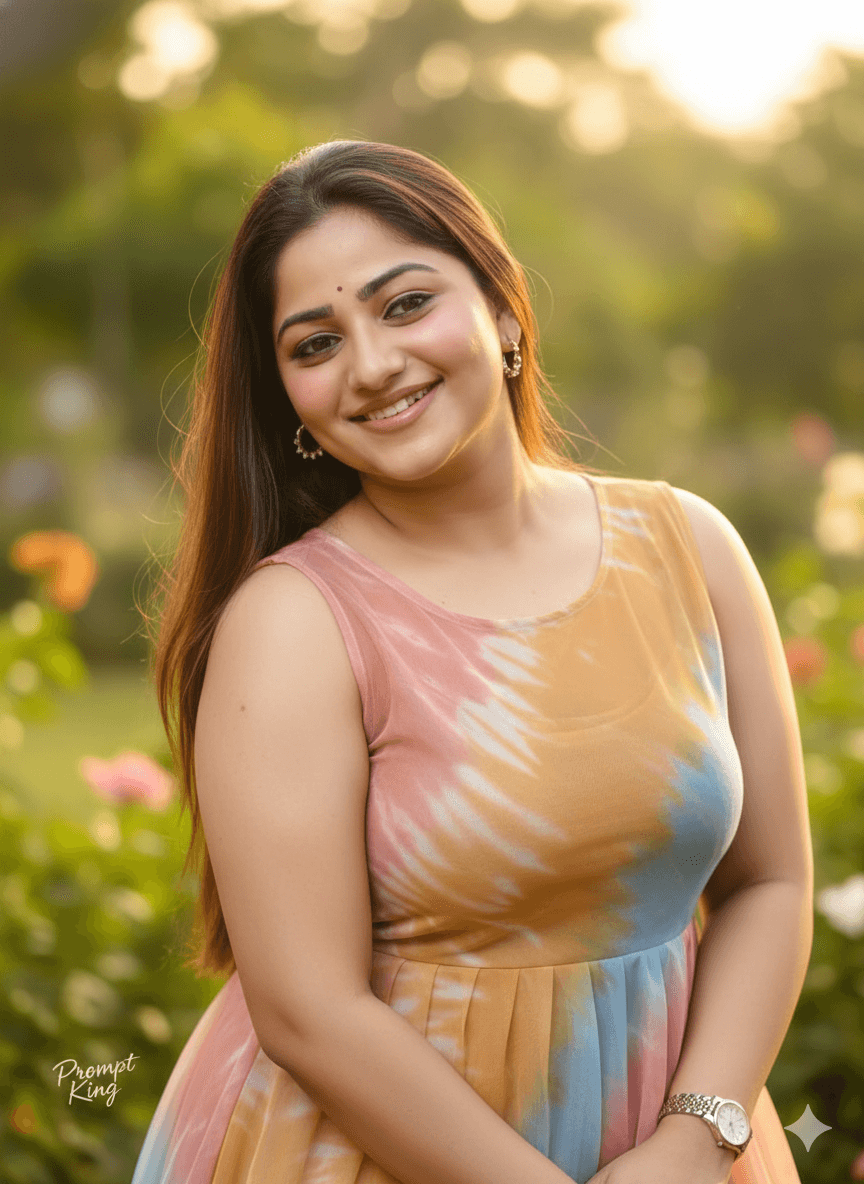
Golden Hour Garden Portrait in Tie-Dye Net Frock
AI Photo Prompt
Want more trending photo prompts? Discover them in the Prompt King Android app on Google Play.
About this prompt
This prompt creates a realistic half-body portrait of a young Indian woman in a garden at golden hour. She wears a sleeveless net tie-dye frock, and her long, silky brown hair frames a glowing face with soft glam makeup, glossy lips and a sweet smile. Chain earrings and a wristwatch are clearly visible, adding small accessory details to the frame. Warm golden light falls across her and the background is a dreamy blur, giving the picture a soft, romantic feel. The prompt asks to keep your uploaded face and its natural expression, so it is meant for personal portraits rather than generic models. The medium close-up framing focuses on the face and upper body while still showing the colourful frock. It is a simple, flattering setup that suits birthday posts, casual outings, college farewell edits, Instagram profile pictures and everyday social updates. It works best for women who prefer light western outfits and natural garden scenery. You can easily add specific colours for the tie-dye pattern or name particular flowers for the background.
Lighting, colour and composition
Warm golden-hour light gives a soft glow to hair and skin, with gentle shadows. The palette depends on the tie-dye, set against warm greens and amber bokeh. A half-body framing places the face in the upper third with the garden blurred behind.
Ways to make it your own
- Name the tie-dye colours, such as pink and blue, so the frock matches your style.
- Add flowering trees like bougainvillea in the background for extra colour.
- Use a 4:5 vertical crop to keep both face and frock in a feed post.
Best for
Girls photo ideas and creative portrait inspiration.
Suggested framing
Use the aspect ratio or framing described in the prompt, then adapt it for your intended platform.
Customization ideas
Adjust the clothing, background, lighting, colors and composition to match your own idea.
How to use
Copy the prompt, adapt it to your idea, and paste it into your preferred compatible AI tool. Follow that tool’s instructions for reference photos.
A few helpful answers.
What type of image does this prompt create?
In a compatible AI tool, this prompt is intended as a starting point for this prompt creates a realistic half-body portrait of a young Indian woman in a garden at golden hour. She wears a sleeveless net tie-dye frock, and her long, silky brown hair frames a glowing face with soft glam makeup, glossy lips and a sweet smile. Chain earrings and a wristwatch are clearly visible, adding small accessory details to the frame. Warm golden light falls across her and the background is a dreamy blur, giving the picture a soft, romantic feel. The prompt asks to keep your uploaded face and its natural expression, so it is meant for personal portraits rather than generic models. The medium close-up framing focuses on the face and upper body while still showing the colourful frock. It is a simple, flattering setup that suits birthday posts, casual outings, college farewell edits, Instagram profile pictures and everyday social updates. It works best for women who prefer light western outfits and natural garden scenery. You can easily add specific colours for the tie-dye pattern or name particular flowers for the background. Results depend on the tool, settings and references you use.
Can I customize the clothing or background?
Yes. Replace the clothing, setting or colors in the prompt with your own choices. Keep descriptions consistent and adjust one detail at a time.
What aspect ratio works best?
Start with Use the aspect ratio or framing described in the prompt, then adapt it for your intended platform.. A 4:5 ratio works well for a portrait feed post. Adjust the crop for your intended platform and your tool’s available settings.
Does Prompt King generate the image?
No. Prompt King helps users discover and copy prompts that can be used with compatible AI tools.
Can I use this for social media ideas?
Yes. Use it as creative inspiration and customize the result for your audience. Use photos you have permission to upload, and check your chosen tool’s terms before publishing.




