
Glossy QUEEN Letters With Mini 3D Figures
AI Photo Prompt
Want more trending photo prompts? Discover them in the Prompt King Android app on Google Play.
About this prompt
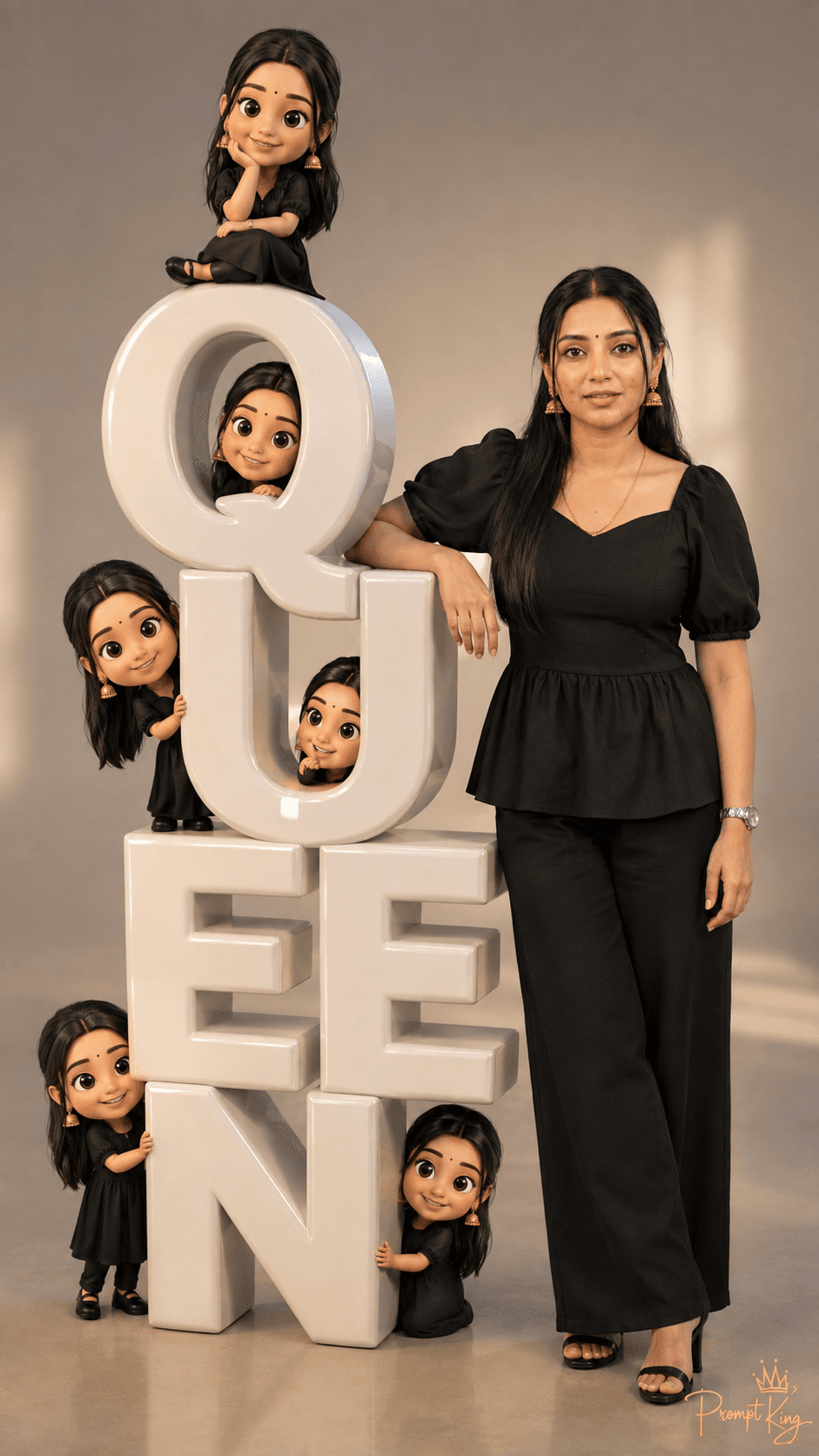
This prompt creates a playful image that mixes a realistic portrait with cute 3D animation. Using your uploaded photo as the identity reference, a woman stands beside oversized glossy white 3D letters spelling 'QUEEN'. Around her are small, charming 3D versions of herself, all dressed in matching black outfits: some sit on top of the letters, others peek out from behind them, and a few strike playful poses. The setting is a minimalist studio with warm, soft lighting, so the shiny letters and the tiny characters stand out clearly. The main figure stays a realistic adult woman while the miniatures carry a high-end animated style, which creates a fun contrast. The composition is cinematic and the format is vertical 9:16, with detailed textures on the letters and outfits. This idea suits birthday posts, Women's Day greetings, a confident profile picture, a self-love caption, or a reel cover. You can change the word to a name, a nickname or another short word that matches the occasion, as long as it fits comfortably across the frame.
Lighting, colour and composition
Warm, soft studio lighting gives gentle reflections on the glossy letters and even light on the figures. The palette is minimal: white letters, black outfits and a neutral warm backdrop. The main subject stands beside large central letters, with small figures scattered across and around them for a lively composition.
Ways to make it your own
- Replace QUEEN with your name or a short word such as BOSS, BRIDE or 25.
- Change the outfits to a festive colour like red or gold for a celebration theme.
- Ask for pastel pink letters for a softer, birthday-style look.
Best for
Girls photo ideas and creative portrait inspiration.
Suggested framing
Use the aspect ratio or framing described in the prompt, then adapt it for your intended platform.
Customization ideas
Adjust the clothing, background, lighting, colors and composition to match your own idea.
How to use
Copy the prompt, adapt it to your idea, and paste it into your preferred compatible AI tool. Follow that tool’s instructions for reference photos.
A few helpful answers.
What type of image does this prompt create?
In a compatible AI tool, this prompt is intended as a starting point for this prompt creates a playful image that mixes a realistic portrait with cute 3D animation. Using your uploaded photo as the identity reference, a woman stands beside oversized glossy white 3D letters spelling 'QUEEN'. Around her are small, charming 3D versions of herself, all dressed in matching black outfits: some sit on top of the letters, others peek out from behind them, and a few strike playful poses. The setting is a minimalist studio with warm, soft lighting, so the shiny letters and the tiny characters stand out clearly. The main figure stays a realistic adult woman while the miniatures carry a high-end animated style, which creates a fun contrast. The composition is cinematic and the format is vertical 9:16, with detailed textures on the letters and outfits. This idea suits birthday posts, Women's Day greetings, a confident profile picture, a self-love caption, or a reel cover. You can change the word to a name, a nickname or another short word that matches the occasion, as long as it fits comfortably across the frame. Results depend on the tool, settings and references you use.
Can I customize the clothing or background?
Yes. Replace the clothing, setting or colors in the prompt with your own choices. Keep descriptions consistent and adjust one detail at a time.
What aspect ratio works best?
Start with Use the aspect ratio or framing described in the prompt, then adapt it for your intended platform.. A 4:5 ratio works well for a portrait feed post. Adjust the crop for your intended platform and your tool’s available settings.
Does Prompt King generate the image?
No. Prompt King helps users discover and copy prompts that can be used with compatible AI tools.
Can I use this for social media ideas?
Yes. Use it as creative inspiration and customize the result for your audience. Use photos you have permission to upload, and check your chosen tool’s terms before publishing.




