
Fur Trimmed Coat Portrait Holding Fresh Snow
AI Photo Prompt
Want more trending photo prompts? Discover them in the Prompt King Android app on Google Play.
About this prompt
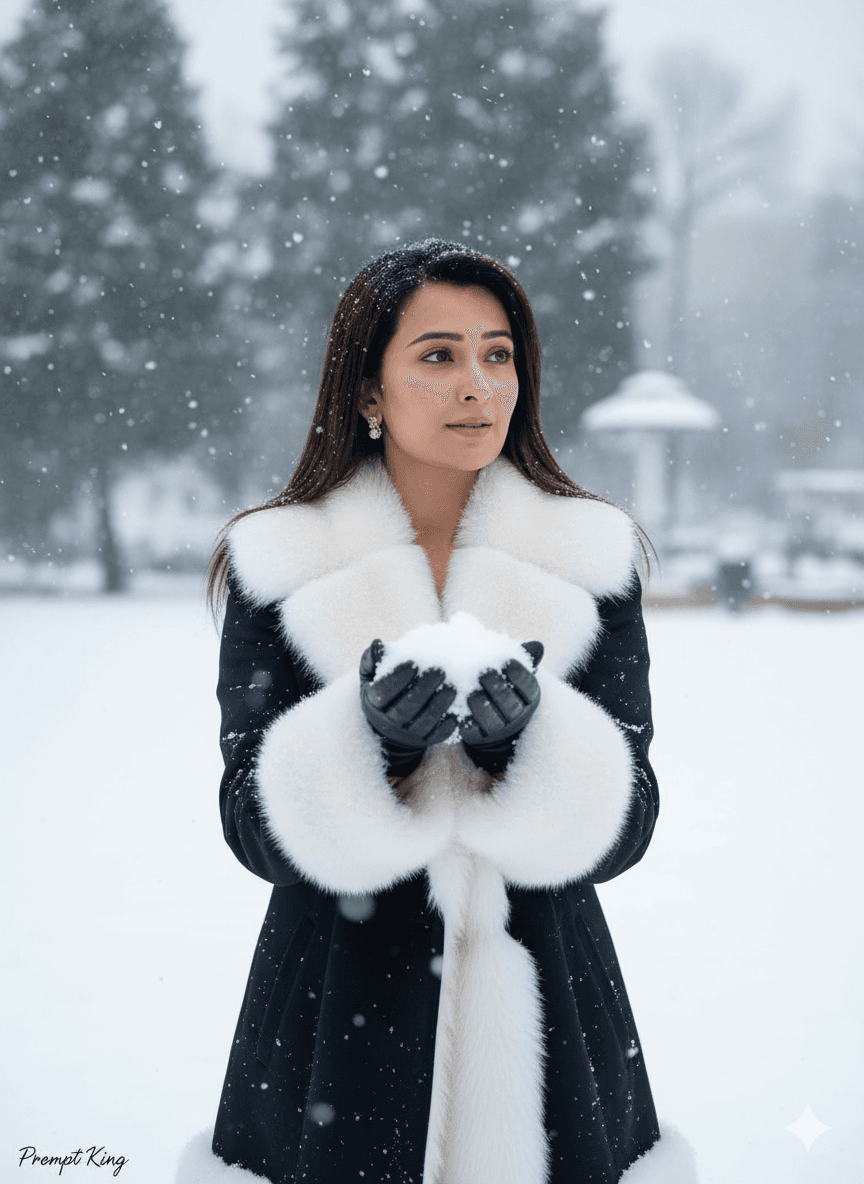
This prompt creates an elegant winter portrait of a young woman holding a handful of snow while looking off to the side. She wears a coat with a fur-trimmed collar, and soft natural light brings out the rich texture of the fur and fabric. The setting is a clean, open snowy landscape with very little clutter, giving the image a refined, high-aesthetic feel. The prompt places special emphasis on realistic snowfall, asking for fine, small, natural flakes falling gently through the air rather than oversized or cartoon-like shapes, so the scene looks like a real winter day. The calm side glance and simple background make it suitable for a winter profile picture, a minimalist Instagram post, a seasonal greeting card or a fashion-inspired mood board. It works well for anyone who prefers understated styling over heavy props. Because the composition is uncluttered, it is also easy to add a caption or short quote in the empty space beside her without covering the subject.
Lighting, colour and composition
Soft, even natural daylight highlights fur texture without harsh shadows. The palette is mostly white and pale grey, with the coat providing a neutral brown, beige or black accent. The subject is framed at half body, slightly off centre, gazing out of frame, with clean negative space and fine snowfall throughout.
Ways to make it your own
- Change the coat colour to deep red or emerald for a stronger focal point.
- Ask for a light blue hour tone to make the scene feel colder and quieter.
- Remove the watermark line in the prompt if you prefer a clean image without text.
Best for
Girls photo ideas and creative portrait inspiration.
Suggested framing
Use the aspect ratio or framing described in the prompt, then adapt it for your intended platform.
Customization ideas
Adjust the clothing, background, lighting, colors and composition to match your own idea.
How to use
Copy the prompt, adapt it to your idea, and paste it into your preferred compatible AI tool. Follow that tool’s instructions for reference photos.
A few helpful answers.
What type of image does this prompt create?
In a compatible AI tool, this prompt is intended as a starting point for this prompt creates an elegant winter portrait of a young woman holding a handful of snow while looking off to the side. She wears a coat with a fur-trimmed collar, and soft natural light brings out the rich texture of the fur and fabric. The setting is a clean, open snowy landscape with very little clutter, giving the image a refined, high-aesthetic feel. The prompt places special emphasis on realistic snowfall, asking for fine, small, natural flakes falling gently through the air rather than oversized or cartoon-like shapes, so the scene looks like a real winter day. The calm side glance and simple background make it suitable for a winter profile picture, a minimalist Instagram post, a seasonal greeting card or a fashion-inspired mood board. It works well for anyone who prefers understated styling over heavy props. Because the composition is uncluttered, it is also easy to add a caption or short quote in the empty space beside her without covering the subject. Results depend on the tool, settings and references you use.
Can I customize the clothing or background?
Yes. Replace the clothing, setting or colors in the prompt with your own choices. Keep descriptions consistent and adjust one detail at a time.
What aspect ratio works best?
Start with Use the aspect ratio or framing described in the prompt, then adapt it for your intended platform.. A 4:5 ratio works well for a portrait feed post. Adjust the crop for your intended platform and your tool’s available settings.
Does Prompt King generate the image?
No. Prompt King helps users discover and copy prompts that can be used with compatible AI tools.
Can I use this for social media ideas?
Yes. Use it as creative inspiration and customize the result for your audience. Use photos you have permission to upload, and check your chosen tool’s terms before publishing.




