Excited Boy in Cricket Jersey With Ghost Back View
AI Photo Prompt
Want more trending photo prompts? Discover them in the Prompt King Android app on Google Play.
About this prompt
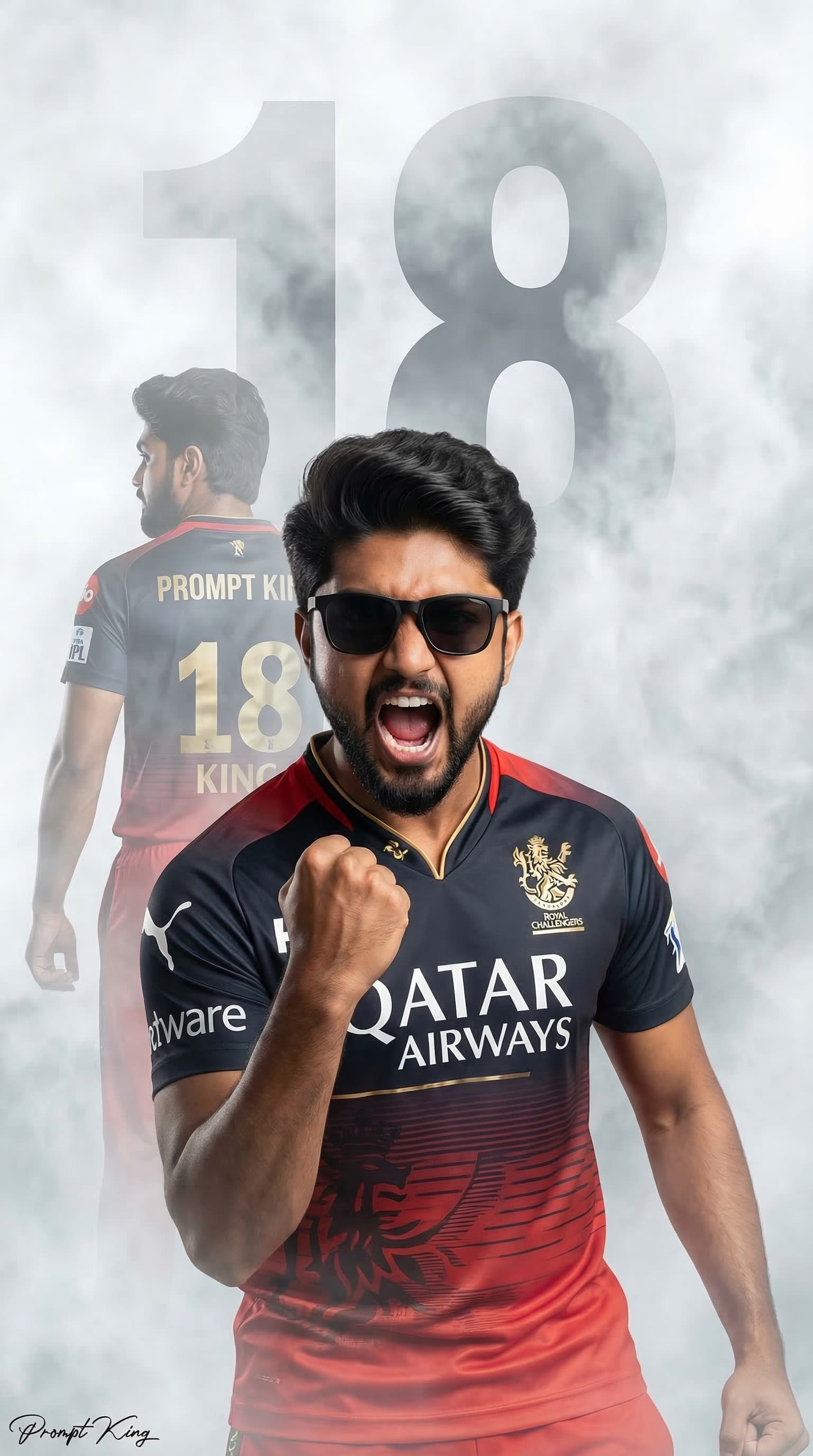
This prompt creates a realistic 3D illusion poster of a young Indian boy wearing black sunglasses and a red franchise-style cricket jersey with an airline sponsor name printed on the front. He is shouting with excitement, mouth open and fist clenched in a victory pose, captured as if celebrating a winning moment. Behind him is a faded, ghost-like image of the same boy with his back turned, showing the name Prompt King and the number 18 on the jersey. The background is a white and grey smoky atmosphere with a large faded number 18, and cinematic lighting gives the poster a sharp, photorealistic finish. This style of fan edit is popular with young cricket supporters during the T20 season. Because the original prompt relies on a real league team's kit, a real sponsor name and a number strongly associated with a famous player, it is better adapted before sharing: remove sponsor and team names and use a generic jersey with the child's own name and number. It then works well for a child's birthday, a school sports day or a junior cricket academy poster.
Lighting, colour and composition
Soft cinematic lighting brightens the face while smoky white and grey tones keep the background quiet. The palette is red and dark navy against neutral greys. The sharp foreground boy dominates the frame, and the faded back view and large number sit behind for depth.
Ways to make it your own
- Replace the sponsor text with the child's name or school name on the front of the jersey.
- Change the jersey colour to match the child's cricket academy or school house.
- Add a cricket bat in hand for a stronger action pose.
Best for
Prompt photo ideas and creative portrait inspiration.
Suggested framing
Use the aspect ratio or framing described in the prompt, then adapt it for your intended platform.
Customization ideas
Adjust the clothing, background, lighting, colors and composition to match your own idea.
How to use
Copy the prompt, adapt it to your idea, and paste it into your preferred compatible AI tool. Follow that tool’s instructions for reference photos.
A few helpful answers.
What type of image does this prompt create?
In a compatible AI tool, this prompt is intended as a starting point for this prompt creates a realistic 3D illusion poster of a young Indian boy wearing black sunglasses and a red franchise-style cricket jersey with an airline sponsor name printed on the front. He is shouting with excitement, mouth open and fist clenched in a victory pose, captured as if celebrating a winning moment. Behind him is a faded, ghost-like image of the same boy with his back turned, showing the name Prompt King and the number 18 on the jersey. The background is a white and grey smoky atmosphere with a large faded number 18, and cinematic lighting gives the poster a sharp, photorealistic finish. This style of fan edit is popular with young cricket supporters during the T20 season. Because the original prompt relies on a real league team's kit, a real sponsor name and a number strongly associated with a famous player, it is better adapted before sharing: remove sponsor and team names and use a generic jersey with the child's own name and number. It then works well for a child's birthday, a school sports day or a junior cricket academy poster. Results depend on the tool, settings and references you use.
Can I customize the clothing or background?
Yes. Replace the clothing, setting or colors in the prompt with your own choices. Keep descriptions consistent and adjust one detail at a time.
What aspect ratio works best?
Start with Use the aspect ratio or framing described in the prompt, then adapt it for your intended platform.. A 4:5 ratio works well for a portrait feed post. Adjust the crop for your intended platform and your tool’s available settings.
Does Prompt King generate the image?
No. Prompt King helps users discover and copy prompts that can be used with compatible AI tools.
Can I use this for social media ideas?
Yes. Use it as creative inspiration and customize the result for your audience. Use photos you have permission to upload, and check your chosen tool’s terms before publishing.