Brass Pichkari Water Splash Holi Portrait
AI Photo Prompt
Want more trending photo prompts? Discover them in the Prompt King Android app on Google Play.
About this prompt
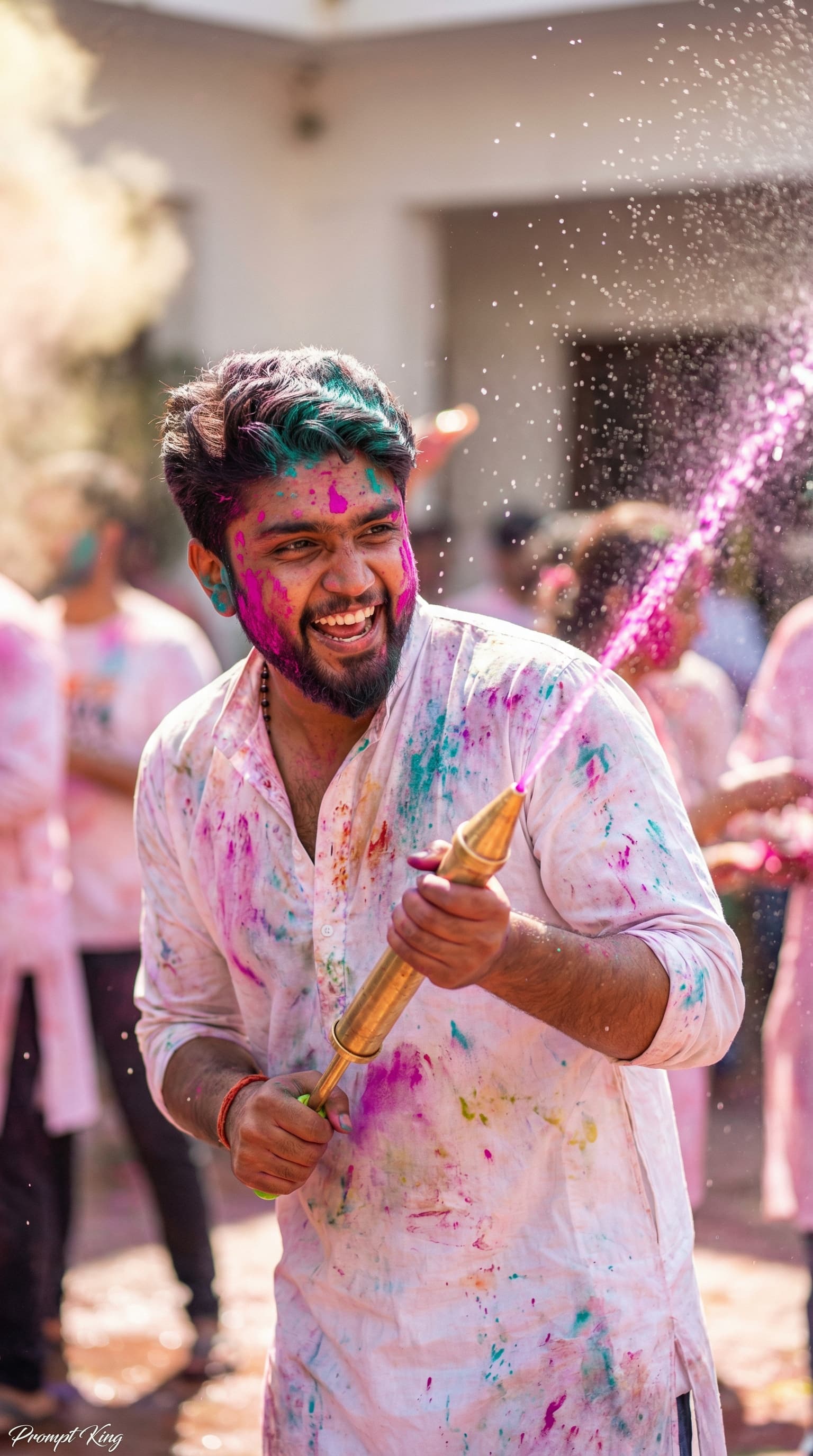
This prompt creates a lively Holi portrait of a young man with a playful, mischievous expression. His face, beard line and hair are dusted with bright pink and turquoise powder, and he holds a traditional vintage brass pichkari, aiming it forward as a strong jet of magenta-coloured water bursts out. He wears a white cotton kurta with slightly rolled sleeves, soaked and splattered with festive colour stains. The background shows a lively Holi celebration in a sunny open courtyard, with soft-focus clouds of powder and frozen water splashes. Bright, direct sunlight creates a shimmering rim light around his hair and shoulders, and every flying droplet catches the light. The camera setup is an 85mm lens at f/1.8 with a shallow depth of field, keeping sharp focus on his eyes and the detailed texture of the brass pichkari. The ratio is 9:16. This is a fun choice for Holi greetings, WhatsApp status updates, Reel covers and festival posts, especially for anyone who enjoys the playful water side of the festival.
Lighting, colour and composition
Hard sunlight gives crisp highlights on water droplets and the brass surface, with a bright rim around the hair. The palette is magenta, turquoise and pink over white fabric and warm courtyard tones. The pichkari points diagonally across the frame, leading the eye from face to water jet.
Ways to make it your own
- Change the water colour to green or yellow to match your favourite Holi shade.
- Swap the brass pichkari for a water balloon in hand for a different playful action.
- Ask for the courtyard to be a terrace or village lane to match your own celebration.
Best for
Festival photo ideas and creative portrait inspiration.
Suggested framing
Use the aspect ratio or framing described in the prompt, then adapt it for your intended platform.
Customization ideas
Adjust the clothing, background, lighting, colors and composition to match your own idea.
How to use
Copy the prompt, adapt it to your idea, and paste it into your preferred compatible AI tool. Follow that tool’s instructions for reference photos.
A few helpful answers.
What type of image does this prompt create?
In a compatible AI tool, this prompt is intended as a starting point for this prompt creates a lively Holi portrait of a young man with a playful, mischievous expression. His face, beard line and hair are dusted with bright pink and turquoise powder, and he holds a traditional vintage brass pichkari, aiming it forward as a strong jet of magenta-coloured water bursts out. He wears a white cotton kurta with slightly rolled sleeves, soaked and splattered with festive colour stains. The background shows a lively Holi celebration in a sunny open courtyard, with soft-focus clouds of powder and frozen water splashes. Bright, direct sunlight creates a shimmering rim light around his hair and shoulders, and every flying droplet catches the light. The camera setup is an 85mm lens at f/1.8 with a shallow depth of field, keeping sharp focus on his eyes and the detailed texture of the brass pichkari. The ratio is 9:16. This is a fun choice for Holi greetings, WhatsApp status updates, Reel covers and festival posts, especially for anyone who enjoys the playful water side of the festival. Results depend on the tool, settings and references you use.
Can I customize the clothing or background?
Yes. Replace the clothing, setting or colors in the prompt with your own choices. Keep descriptions consistent and adjust one detail at a time.
What aspect ratio works best?
Start with Use the aspect ratio or framing described in the prompt, then adapt it for your intended platform.. A 4:5 ratio works well for a portrait feed post. Adjust the crop for your intended platform and your tool’s available settings.
Does Prompt King generate the image?
No. Prompt King helps users discover and copy prompts that can be used with compatible AI tools.
Can I use this for social media ideas?
Yes. Use it as creative inspiration and customize the result for your audience. Use photos you have permission to upload, and check your chosen tool’s terms before publishing.