
Blue Pink Ombre Saree With Snowy Pine Cones
AI Photo Prompt
Want more trending photo prompts? Discover them in the Prompt King Android app on Google Play.
About this prompt
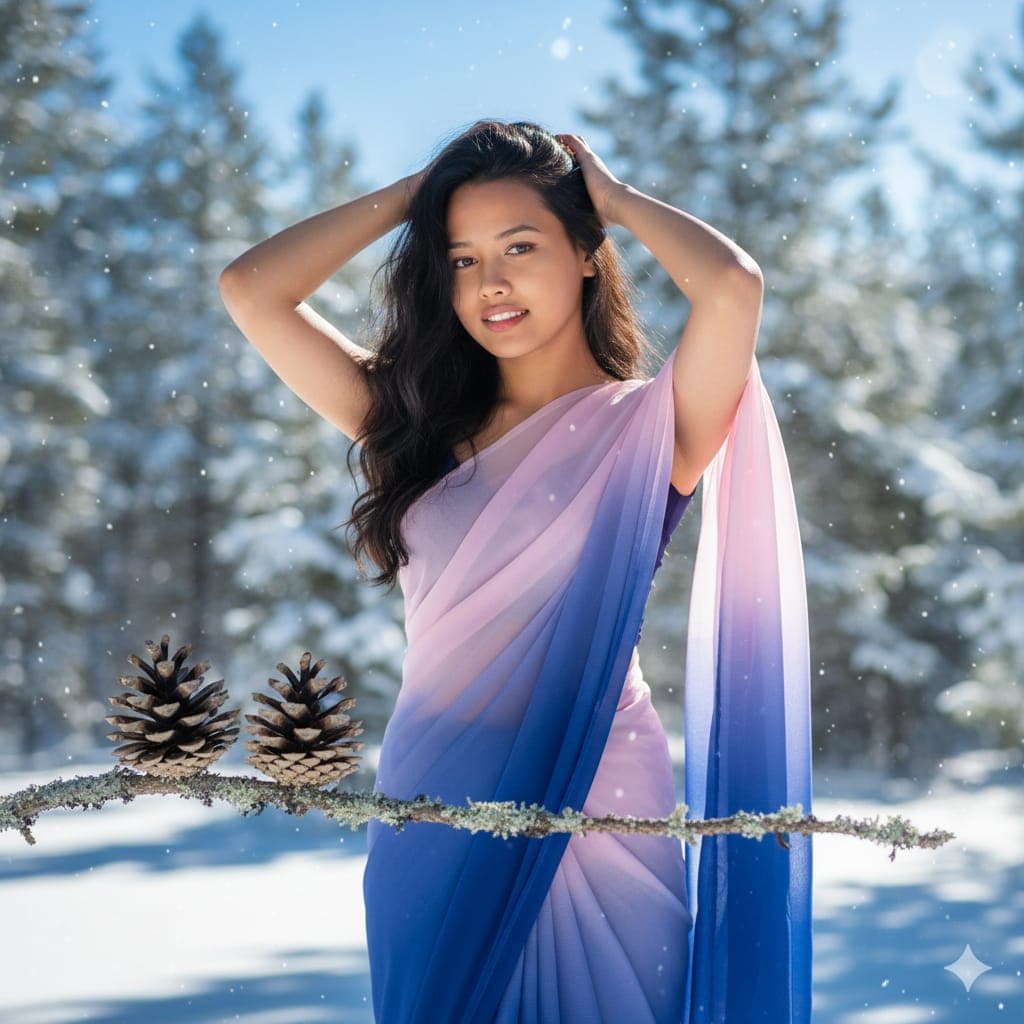
This prompt blends a portrait with a nature macro scene. A young woman, using the face from your uploaded image, wears a flowing sheer saree in a gradient from royal blue to light pink, with her hands resting in her long dark wavy hair. In the foreground, a close-up macro detail shows two small weathered pine cones sitting on a thin lichen-covered branch that stretches horizontally across the frame. Bright natural winter sunlight lights the textured scales of the cones and casts soft shadows. Behind them, the background melts into a dreamy bokeh of a snowy evergreen forest under clear blue sky, creating a strong sense of depth and a crisp, cold, serene atmosphere. The composition is unusual because the foreground nature detail and the portrait share attention, giving the image an artistic, layered look. It suits winter-themed profile pictures, Christmas or New Year greetings with an Indian twist, travel posts from hill stations like Manali or Gulmarg, or creative photography portfolios. It is also a good prompt to experiment with depth-of-field effects, since it deliberately balances a sharp macro subject against a soft background.
Lighting, colour and composition
Clear, bright winter sunlight gives cool, crisp illumination with soft shadows on the pine cone textures. The palette moves from royal blue to blush pink in the saree, set against snow white, evergreen and sky blue. A horizontal branch anchors the foreground while the subject and forest sit in layered planes behind.
Ways to make it your own
- Change the saree gradient to lavender and silver to match the cool winter palette even more closely.
- Remove the pine cones if you prefer a simple portrait with only the snowy forest bokeh.
- Try a 16:9 landscape ratio to let the branch stretch fully across the frame.
Best for
Girls photo ideas and creative portrait inspiration.
Suggested framing
Use the aspect ratio or framing described in the prompt, then adapt it for your intended platform.
Customization ideas
Adjust the clothing, background, lighting, colors and composition to match your own idea.
How to use
Copy the prompt, adapt it to your idea, and paste it into your preferred compatible AI tool. Follow that tool’s instructions for reference photos.
A few helpful answers.
What type of image does this prompt create?
In a compatible AI tool, this prompt is intended as a starting point for this prompt blends a portrait with a nature macro scene. A young woman, using the face from your uploaded image, wears a flowing sheer saree in a gradient from royal blue to light pink, with her hands resting in her long dark wavy hair. In the foreground, a close-up macro detail shows two small weathered pine cones sitting on a thin lichen-covered branch that stretches horizontally across the frame. Bright natural winter sunlight lights the textured scales of the cones and casts soft shadows. Behind them, the background melts into a dreamy bokeh of a snowy evergreen forest under clear blue sky, creating a strong sense of depth and a crisp, cold, serene atmosphere. The composition is unusual because the foreground nature detail and the portrait share attention, giving the image an artistic, layered look. It suits winter-themed profile pictures, Christmas or New Year greetings with an Indian twist, travel posts from hill stations like Manali or Gulmarg, or creative photography portfolios. It is also a good prompt to experiment with depth-of-field effects, since it deliberately balances a sharp macro subject against a soft background. Results depend on the tool, settings and references you use.
Can I customize the clothing or background?
Yes. Replace the clothing, setting or colors in the prompt with your own choices. Keep descriptions consistent and adjust one detail at a time.
What aspect ratio works best?
Start with Use the aspect ratio or framing described in the prompt, then adapt it for your intended platform.. A 4:5 ratio works well for a portrait feed post. Adjust the crop for your intended platform and your tool’s available settings.
Does Prompt King generate the image?
No. Prompt King helps users discover and copy prompts that can be used with compatible AI tools.
Can I use this for social media ideas?
Yes. Use it as creative inspiration and customize the result for your audience. Use photos you have permission to upload, and check your chosen tool’s terms before publishing.




