
Anarkali Dual Poster With Watercolour Tricolour Splashes
AI Photo Prompt
Want more trending photo prompts? Discover them in the Prompt King Android app on Google Play.
About this prompt
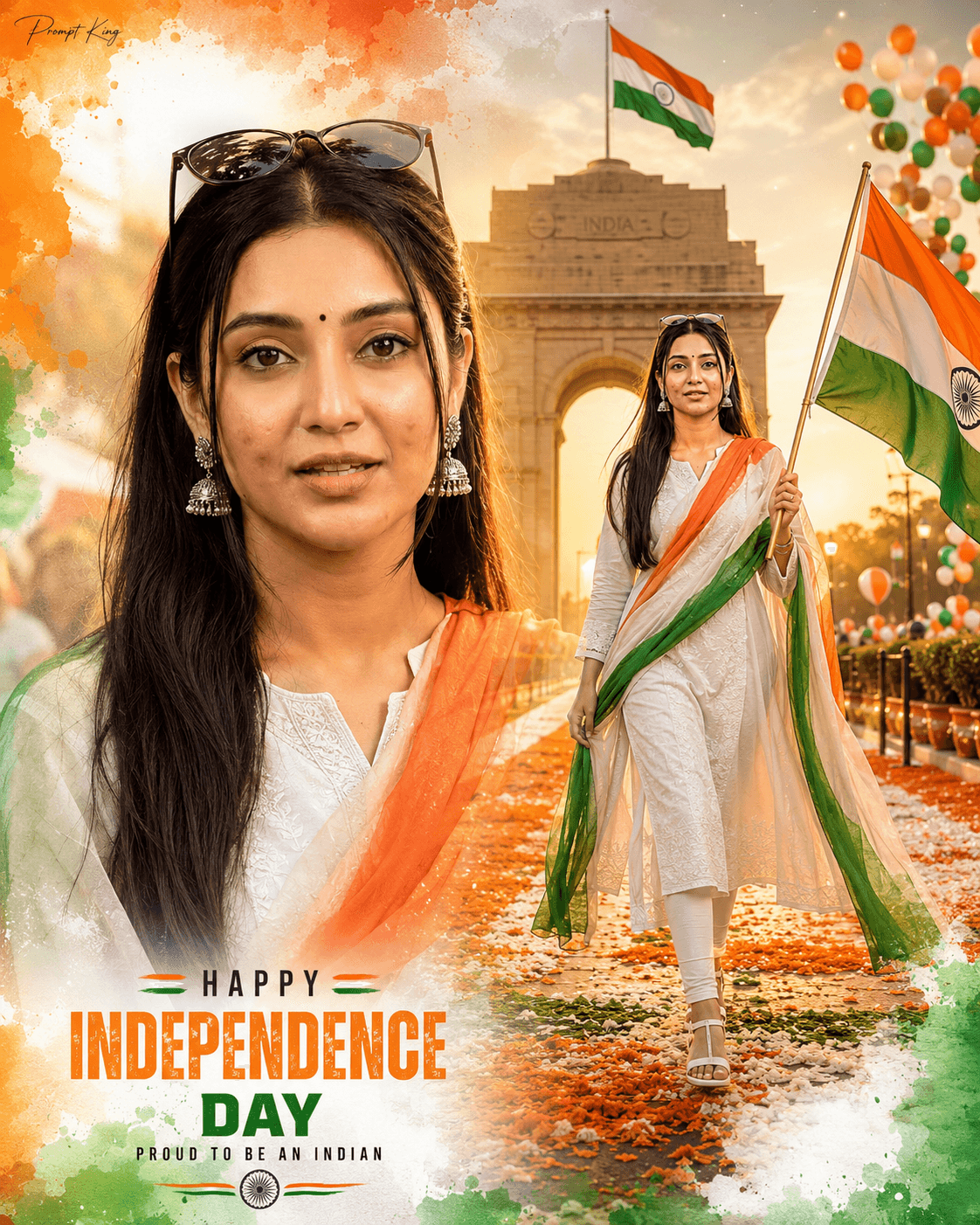
This prompt creates a two-part Independence Day poster: a large close-up portrait on the left and a full-body walking pose on the right, both using the same face from your uploaded photo. She wears a white embroidered Anarkali suit with white leggings and white sandals, oxidised silver jhumkas, a small black bindi and sunglasses resting on her head, with a flowing tricolour dupatta draped across her shoulders. In the full-body scene she walks confidently, proudly holding a large Indian flag. India Gate in New Delhi stands in the background at golden-hour sunset with a large flag above it, surrounded by tricolour balloons and marigold decorations, and a pathway covered with orange and white petals leads toward the monument. Artistic watercolour splashes in saffron, white and green frame the edges for a festive poster effect. The prompt asks for warm cinematic sunlight, volumetric light and vibrant tricolour grading in a vertical 4:5 ratio. This suits Independence Day greetings, school or college programmes, and a festive profile image.
Lighting, colour and composition
Warm sunset light with volumetric rays gives a golden glow on the white Anarkali and the monument. The palette is white, saffron and green, with marigold orange and watercolour accents. A split layout pairs a close-up with a walking figure, framed by painted splashes around the edges.
Ways to make it your own
- Remove the watercolour splashes if you want a cleaner, more photographic finish for the portrait.
- Swap the Anarkali for a white saree with a tricolour border for a different festive look.
- Use only the full-body walking scene if you need a single, simpler image.
Best for
Girls photo ideas and creative portrait inspiration.
Suggested framing
Use the aspect ratio or framing described in the prompt, then adapt it for your intended platform.
Customization ideas
Adjust the clothing, background, lighting, colors and composition to match your own idea.
How to use
Copy the prompt, adapt it to your idea, and paste it into your preferred compatible AI tool. Follow that tool’s instructions for reference photos.
A few helpful answers.
What type of image does this prompt create?
In a compatible AI tool, this prompt is intended as a starting point for this prompt creates a two-part Independence Day poster: a large close-up portrait on the left and a full-body walking pose on the right, both using the same face from your uploaded photo. She wears a white embroidered Anarkali suit with white leggings and white sandals, oxidised silver jhumkas, a small black bindi and sunglasses resting on her head, with a flowing tricolour dupatta draped across her shoulders. In the full-body scene she walks confidently, proudly holding a large Indian flag. India Gate in New Delhi stands in the background at golden-hour sunset with a large flag above it, surrounded by tricolour balloons and marigold decorations, and a pathway covered with orange and white petals leads toward the monument. Artistic watercolour splashes in saffron, white and green frame the edges for a festive poster effect. The prompt asks for warm cinematic sunlight, volumetric light and vibrant tricolour grading in a vertical 4:5 ratio. This suits Independence Day greetings, school or college programmes, and a festive profile image. Results depend on the tool, settings and references you use.
Can I customize the clothing or background?
Yes. Replace the clothing, setting or colors in the prompt with your own choices. Keep descriptions consistent and adjust one detail at a time.
What aspect ratio works best?
Start with Use the aspect ratio or framing described in the prompt, then adapt it for your intended platform.. A 4:5 ratio works well for a portrait feed post. Adjust the crop for your intended platform and your tool’s available settings.
Does Prompt King generate the image?
No. Prompt King helps users discover and copy prompts that can be used with compatible AI tools.
Can I use this for social media ideas?
Yes. Use it as creative inspiration and customize the result for your audience. Use photos you have permission to upload, and check your chosen tool’s terms before publishing.




