
How to Keep Your Face Consistent in AI Photos
Learn practical ways to reduce face changes in AI-generated photos using better reference images, clearer prompts, controlled pose changes and tool-specific identity features.
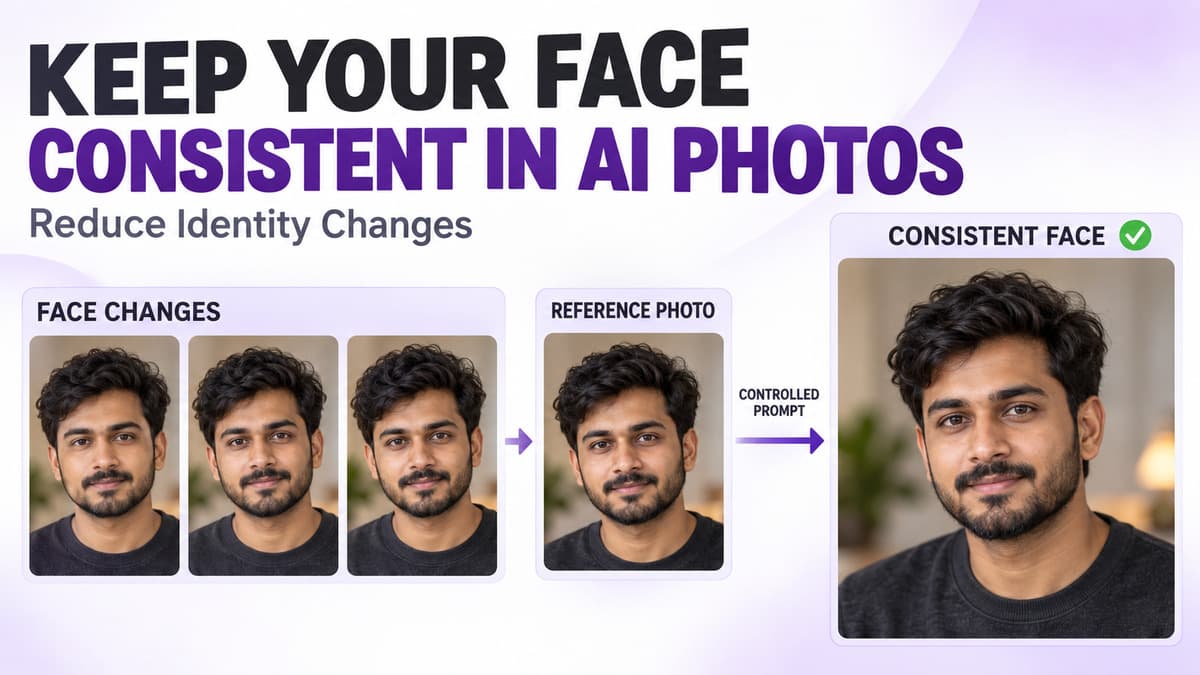
One of the most common problems with AI-generated photos is simple: the face keeps changing. You may use the same reference photo, the same prompt and the same general style, but each result can still look like a slightly different person. The eyes may change, the jawline may shift, the nose may look different, the hairstyle may become inconsistent, or the overall facial structure may drift.
This happens because AI image tools do not always treat identity as a fixed rule. A prompt can describe the scene, clothing, pose, background and lighting very well, but facial consistency often depends on additional factors such as the quality of the reference image, the angle of the face, how much the pose changes, the model being used and whether the tool includes dedicated identity or character-reference controls.
The goal is not to expect perfect duplication every time. The goal is to reduce unnecessary face changes and give the AI tool a clearer identity reference. Prompt King can help you discover and copy photo prompts, but the final image generation and identity handling happen inside the compatible AI tool you choose to use.
Why does the face change in AI photos?
A prompt such as “Create a cinematic portrait of the same man in a black jacket” sounds clear to a person, but an AI tool may still interpret the face differently. The tool has to balance the face, hairstyle, expression, pose, camera angle, lighting, outfit, background, image style, reference image and generation settings at the same time. When several major visual elements change together, identity can become less stable. Some tools preserve the general appearance while changing smaller facial details, while others may produce a result that looks like a different person.
Start with a strong reference photo
Reference quality is one of the most important factors. If the original photo is unclear, the AI tool has less reliable information about the person’s face. A useful reference should ideally have a clearly visible face, good lighting, natural skin detail, enough resolution, no heavy blur, no extreme beauty filter and no major obstruction. A sharp, well-lit portrait is usually more useful than a dark, heavily edited or compressed image.
Avoid very small faces in reference images
If the person’s face occupies only a tiny part of the photo, the tool may not receive enough facial detail. A full-body image taken from far away can be useful for pose or clothing, but it may be weaker for identity. When face consistency is the priority, use a reference where the face is reasonably large and clear. A head-and-shoulders or waist-up reference can often provide more useful facial information.
Front-facing references are easier to interpret
A mostly front-facing portrait usually gives the AI tool more information about both eyes, nose shape, mouth, jawline, cheek structure and facial symmetry. A strong side-profile photo can also work, but it shows less information about the other side of the face. If your AI tool supports multiple reference images, using a clear front view plus another natural angle may sometimes provide more identity information. Whether multiple references help depends on the tool.
Do not start with an extreme pose
If your source photo is front-facing and your new prompt immediately asks for an extreme low-angle side profile, head tilted back, face partly hidden and dramatic shadow, identity may drift more easily. A safer workflow is to begin with smaller changes: front-facing portrait, then a slightly turned face, then a three-quarter view, and finally a stronger side profile. Gradual changes make it easier to identify which step causes the face to change.
Change one major thing at a time
Do not change hairstyle, expression, lighting, camera angle, pose, outfit, location and age appearance all at once. Keep most details stable and change one major variable. For example, first test the same face and pose with a different background. Then keep the background and change the outfit. After that, change the pose slightly. This makes it easier to understand what causes identity drift.
Keep facial instructions simple
A common mistake is over-describing the face with a long list of traits such as sharp jawline, narrow nose, large eyes, oval face, thick eyebrows, high cheekbones and perfect symmetry. If those details do not accurately match the reference, the AI tool may try to redesign the face around the written description. When a reference image is being used, simpler directions such as “preserve the person’s recognizable facial features and natural proportions” can communicate the goal more clearly. No wording can guarantee perfect identity preservation.
Avoid contradictory face descriptions
If the reference image shows short hair, a beard and mature facial features but the prompt asks for a clean-shaven youthful face with long hair, the tool has to choose between the reference and the written description. Some identity drift is expected when several appearance changes are requested at once. If you want the same person to remain recognizable, avoid changing major identity-related features unless that change is intentional.
Hairstyle can affect perceived identity
Hair is not technically the face, but it strongly affects how a person looks. A completely different hairstyle that covers part of the face can make the generated person feel different even when some facial features remain similar. If consistency matters, keep the hairstyle stable during early tests. Change it later once the facial identity is reasonably consistent.
Beard and facial hair matter too
The same principle applies to beard, moustache, stubble, clean shave and sideburns. If the original subject has a beard and every new generation changes its length, shape or density, the person may look different. When needed, describe facial hair clearly, for example: “Keep the same short, neatly trimmed beard and moustache.” This is a direction, not a guarantee.
Glasses can help or hurt consistency
Glasses can become part of a person’s recognizable appearance. Removing them may reveal facial areas that the tool previously interpreted differently, while adding large sunglasses can hide important identity features. For consistency testing, start with fewer major appearance changes. Once the identity looks stable enough, add accessories such as sunglasses, hats, jewelry or caps.
Keep age-related instructions consistent
Avoid mixing instructions such as same person, younger face, mature features and teenage appearance. Age changes can significantly alter facial structure. If you want the same person to remain recognizable, do not ask for a major age transformation unless that is the actual goal of the image.
Use a similar facial expression first
Large expression changes can affect how recognizable the face looks. A neutral reference compared with an exaggerated laughing expression can change the apparent eye shape, cheeks, mouth and jaw. Start with a calm neutral expression or a slight natural smile, then test stronger expressions separately once the identity is reasonably stable.
Keep lighting controlled
Lighting can dramatically change perceived facial structure. Strong side shadows can make the nose appear different, hide one eye, sharpen the jawline or strengthen cheekbones. If you are testing identity consistency, begin with simple lighting such as soft natural daylight across the face or diffused studio lighting with even facial illumination. Once the identity looks stable, experiment with more dramatic lighting.
Avoid hiding the face
Face consistency becomes harder to judge when the prompt includes deep shadows, hair covering the face, sunglasses, masks, extreme profile angles, hands over the face or hats casting heavy shadows. These elements may look visually interesting, but they reduce how much of the face remains visible. If identity is important, keep facial visibility high during early tests.
Use framing that shows enough facial detail
A very wide full-body shot may not show enough facial detail to judge identity accurately. If you are testing face consistency, begin with a close-up, head-and-shoulders or waist-up portrait. Once the face is stable enough, try wider compositions such as full-body fashion or vehicle portraits. This separates the identity problem from the composition problem.
Keep the reference and prompt aligned
If the reference image shows a person indoors in soft light but the prompt asks for a completely different pose, extreme camera angle, night lighting and wind-blown hair, the tool is being asked to transform many things at once. A clearer direction would be: “Maintain the same facial identity and natural facial proportions. Change the outfit to a black jacket and place the subject on a quiet city street during soft evening light.” The face remains the stable element while the scene changes.
Use identity or character-reference features when available
Some AI tools provide dedicated controls for identity consistency. Depending on the platform, these may be called character reference, face reference, identity reference, image reference strength, subject consistency or character consistency. Names and behavior vary by tool. When such a feature exists, it may provide better control than relying on prompt wording alone. Check the specific tool’s documentation or settings rather than assuming every platform supports the same feature.
Reference strength can matter
Some compatible AI tools allow you to control how strongly a reference image influences the output. A higher reference influence may help preserve more identity-related information but can also limit creative changes. A lower influence may allow more flexibility while increasing facial variation. There is no universal correct value because settings differ between tools. Test small adjustments rather than immediately using an extreme setting.
Seeds can help in some tools
Some AI tools include a seed value. A seed can help reproduce or control parts of a generation process, but seed behavior differs across platforms and models. Using the same seed does not automatically guarantee the same face, especially if the prompt, reference, model or settings change. Treat seed control as one possible consistency tool, not a universal identity lock.
Do not assume the same prompt means the same face
You can use the exact same prompt several times and still receive slightly different faces. AI generation often includes variation. The prompt defines the creative direction, but the system may still make different visual decisions each time. This is why identity consistency usually depends on more than prompt wording alone.
Keep the same AI model when comparing results
Switching models can change facial interpretation, skin texture, proportions, lighting response, style and realism. If you are trying to improve one person’s identity consistency, avoid changing the model during every test. Keep the model stable while adjusting the prompt, otherwise you may not know whether the face changed because of the prompt or because of the model.
Tool updates can change results
AI tools are updated regularly. A prompt that worked well in one version may behave differently after a model update. If an older workflow suddenly produces different faces, check whether the tool or model has changed before rewriting the entire prompt.
Use the same reference file when testing
If possible, use the same reference image during comparison tests. Changing the reference introduces another variable. A cleaner comparison is Reference Photo 1 with Prompt Version 1, followed by the same Reference Photo 1 with Prompt Version 2. This makes it easier to understand what the prompt change actually did.
Multiple reference photos can help in some tools
If the platform supports multiple identity references, you may experiment with a front-facing portrait, a slight three-quarter angle and a natural side angle. The photos should clearly show the same person. Avoid combining references with dramatically different age appearance, hairstyle, facial hair, makeup, filters or lighting because conflicting references can make the identity less clear.
Avoid heavily filtered references
Beauty filters can change skin texture, jawline, eye size, nose shape and facial proportions. If the goal is to preserve the real person’s appearance, heavily filtered photos may create confusion. A natural, clear reference usually gives the tool more reliable visual information.
Cropping the reference can sometimes help
If the original photo includes a very busy background, the AI tool may receive many irrelevant details. When supported by the tool, a cleaner reference focused more closely on the person may be easier to interpret. Do not crop so tightly that important facial or head details disappear.
Basic prompt vs identity-focused prompt
A basic prompt such as “Create a cinematic photo of this man wearing a black jacket in the city” gives general visual direction but says little about what should remain stable. A clearer version is: “Preserve the recognizable facial identity and natural facial proportions of the reference person. Keep the same hairstyle and short beard. Change the outfit to a black casual jacket and place the subject on a quiet urban street during soft evening light. Use a waist-up composition, calm natural expression and realistic skin texture.” This separates what should stay the same from what should change.
Another practical example
Suppose the original reference shows a woman in a simple indoor portrait and you want a traditional outdoor result. Instead of asking for a beautiful saree portrait at a palace with a different hairstyle and dramatic pose, keep the identity instructions stable: maintain the same recognizable facial identity and natural proportions, use a pastel saree with subtle jewelry, keep the hairstyle similar to the reference, use a relaxed natural expression, place the subject in a quiet heritage courtyard during soft late-afternoon light and use waist-up framing.
How to troubleshoot when the face keeps changing
If the result does not look like the reference, simplify the setup. Keep the same reference image, the same model, a similar facial expression, simple lighting, a simple pose and waist-up composition. If the face improves, begin adding creative changes gradually: first the outfit, then the background, then the lighting, then the pose and finally the camera angle. This helps identify which change causes identity drift.
Compare the right facial features
Do not judge similarity only from hairstyle or clothing. Compare eye spacing, eyebrow shape, nose, mouth, chin, jawline, face width, cheek structure and overall facial proportions. These are more useful identity signals when checking whether a generated result still resembles the reference person.
Do not chase one bad result with a huge prompt
A weak result can tempt you to add dozens of instructions such as exact same face, 100% same face, perfect identity and identical face. Repeating the same demand does not necessarily improve identity control. It may only make the prompt longer. Use clear instructions once, then adjust the reference, pose, model or tool settings where available.
Keep a working version of the prompt
When you get a result with good facial consistency, save the prompt, reference image used, model name, aspect ratio, seed if available, identity or reference settings and other important generation settings. This gives you a stable starting point for later variations instead of forcing you to recreate a successful setup from memory.
Use Prompt King without losing your original identity goal
If you find a useful style prompt on Prompt King, do not blindly paste every detail when identity consistency matters. Keep the style elements you like, such as outfit, lighting, location, framing and mood, then remove or rewrite anything that unnecessarily redefines the face. If a copied prompt describes facial traits that do not match your reference person, those instructions may work against your identity goal. Customize the prompt before using it.
Protect your personal reference photos
Face photos are personal data, so use them carefully. Before uploading a reference image to a third-party AI tool, check its privacy policy, review image-retention settings, understand whether uploads may be stored, check whether deletion controls are available and only upload photos you have permission to use. Prompt King itself helps with prompt discovery and copying; it does not control how a separate AI service handles uploaded images.
Why perfect face consistency may not always be possible
Even with a strong reference and a careful prompt, exact consistency is not guaranteed. Results can vary because of model limitations, generation randomness, pose changes, lighting changes, strong expressions, camera angles, reference quality, tool settings and platform updates. The realistic goal is to improve recognizable identity consistency rather than assume every generated image will reproduce the face perfectly.
A simple face consistency workflow
Start with one clear reference image and a simple waist-up portrait prompt. Keep expression and lighting natural, then check whether the facial identity is recognizable. Next change only the outfit, then the background, and only after that experiment with pose and camera angle. Save the prompt and settings whenever a version works well. This approach reduces the number of variables changing at once.
Face consistency checklist
Before generating, check whether the reference face is clear, the image is sharp enough, the face is large enough to see, hairstyle and facial hair are reasonably consistent, the face is not hidden by shadows or accessories, the lighting is simple enough for an early test, the same AI model is being used for comparison, identity or character-reference settings are enabled when available, conflicting facial descriptions have been removed and successful prompts and settings are being saved.
Final thoughts
Keeping a face consistent in AI photos is mostly about reducing unnecessary changes. Start with a strong reference, keep the face visible, use simple lighting, avoid extreme pose changes in the first test, keep hairstyle, facial hair and expression reasonably stable, change one major variable at a time and use identity or character-reference features when your chosen tool supports them. A good prompt can make your goal clearer, but the AI model and its reference-image features still play a major role in the final result. Prompt King can help you discover creative photo prompt ideas, then you can customize those prompts while keeping identity-related instructions focused and consistent.
Frequently Asked Questions
Why does my face change even when I use the same reference image?
AI tools can interpret a reference differently across generations. Changes in pose, lighting, expression, model behavior and generation randomness can all affect facial consistency.
Should I use one reference photo or several?
Start with one clear, high-quality reference. If the tool supports multiple identity references, additional natural angles may help, but this depends on the platform and the references should not conflict with each other.
Does writing same exact face guarantee the same identity?
No. Prompt wording can communicate your intent, but it cannot guarantee perfect identity preservation. Dedicated reference or character-consistency features may provide additional control when a tool supports them.
Can extreme poses make the face change more?
Yes. Strong profile views, unusual camera angles, facial obstruction and large expression changes can make identity harder to preserve and harder to judge.
Does Prompt King keep or generate my face?
No. Prompt King helps you discover and copy photo prompts. Any reference photo upload, face processing or final image generation happens in the compatible external AI tool you choose to use.
Put an idea into words.
Find a prompt, change a detail, and explore a new direction.
Explore prompts →