
How to Improve an AI Photo Prompt
Small, intentional changes can make your creative brief much clearer.
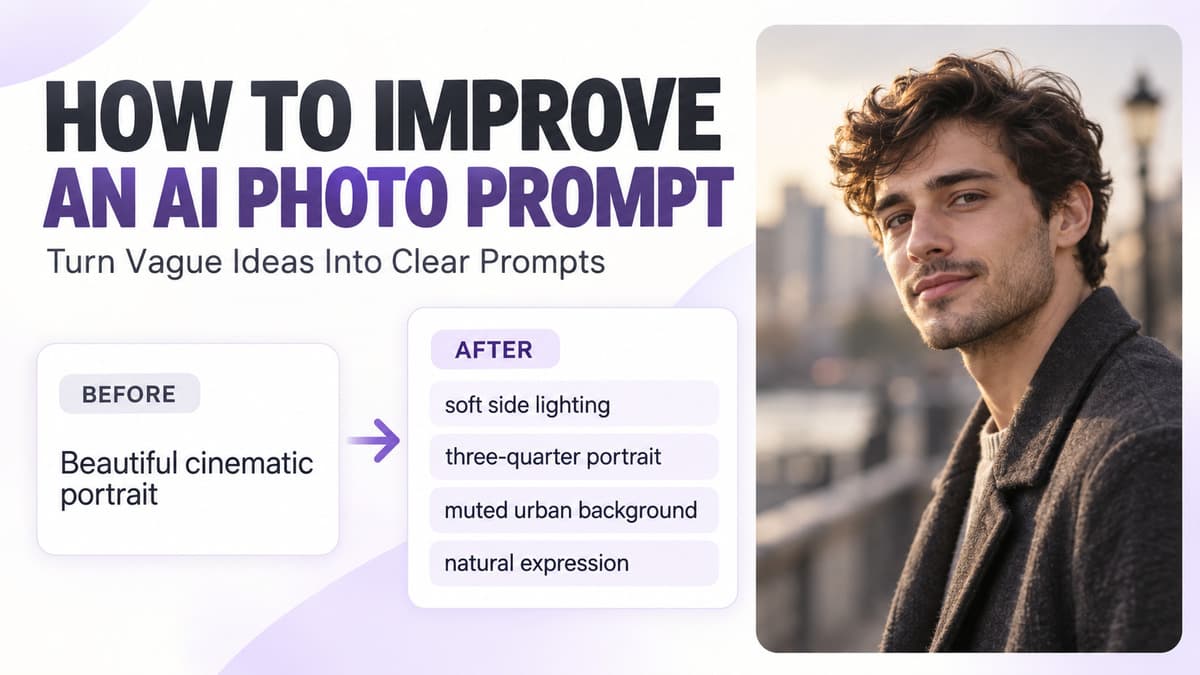
A good AI photo prompt is not about using the most complicated words. It is about giving clear visual direction. Many prompts fail because they are too vague, too crowded or internally inconsistent. A prompt may mention a beautiful portrait, cinematic lighting, a luxury background, professional quality and dramatic photography, but still leave the AI tool with very little useful information about what the image should actually look like.
The easiest way to improve an AI photo prompt is to make the scene easier to understand. Prompt King helps you discover ready-to-copy photo prompts that you can use as a starting point. Instead of rebuilding everything from zero, you can copy a prompt that is already close to your idea, change the details that matter and then use the revised prompt in a compatible AI tool.
This guide explains how to improve an AI photo prompt step by step.
Start by identifying what is unclear
Before rewriting a prompt, look at the original version and ask what information is missing. A prompt such as “Beautiful cinematic portrait of a man” does not explain what the man is wearing, where he is standing, what he is doing, what expression he has, what kind of light is present, how the image should be framed or what the background looks like. A stronger version could describe a young man wearing a dark casual jacket on a quiet urban street during early evening, looking slightly away from the camera, with soft directional light across one side of his face, three-quarter framing, a muted background and natural cinematic contrast.
Replace vague praise with visible details
Words such as beautiful, amazing, stunning, premium, professional and epic describe opinions rather than visible elements. Instead of writing “beautiful portrait,” describe soft natural light across the face, a relaxed expression, a clean background and subtle depth of field. Instead of “amazing background,” describe a quiet city street with warm evening light and distant buildings softly blurred. Visible details are easier to interpret than general praise words.
Put the subject first
A strong prompt should make the main subject obvious early. You might start with “a young woman wearing a pastel saree” or “a young man sitting beside a black motorcycle.” Once the subject is clear, add the pose, clothing, location, lighting, framing and atmosphere. This gives the prompt a natural order and makes later edits easier.
Give the prompt a useful order
A practical structure is subject + action or pose + outfit + location + lighting + framing + mood. For example: “A young man standing beside a black SUV, wearing a dark fitted shirt and jeans, one hand resting naturally on the vehicle, quiet roadside at sunset, soft side lighting, full-body composition and a calm cinematic mood.” A clear order keeps related choices together and makes the creative brief easier to understand.
Improve the pose
A vague pose often produces a generic result. “A man standing near a bike” is less specific than “a young man standing beside a motorcycle with one hand resting on the handlebar, body turned slightly away from the camera and a relaxed expression.” Useful pose ideas include leaning against a wall, walking naturally, sitting on a step, looking over one shoulder, standing with hands relaxed, holding a jacket, resting one hand on a vehicle or looking toward the distance. Choose one main pose rather than combining several actions.
Make the expression specific
Expression can change the tone of the entire portrait. Replace a vague phrase such as “nice expression” with a gentle natural smile, calm neutral expression, thoughtful look, confident expression, relaxed face or a subject looking slightly away from the camera. Avoid contradictory emotional directions. A prompt that asks for happy, mysterious, serious, emotional and playful at the same time is harder to interpret than one clear mood.
Improve the clothing description
Clothing often defines the visual style. Replace “stylish clothes” with something visible, such as a black fitted shirt and dark trousers, a pastel saree with subtle gold detailing and simple jewelry, or a casual denim jacket over a plain white T-shirt. Describe only the details that influence the image. You usually do not need to specify every button, stitch or accessory.
Choose one clear location
A prompt becomes weaker when the background contains too many unrelated places. Instead of asking for a beach, mountains, city, palace and forest in one ordinary portrait, choose one main environment such as a quiet urban street, open rural road, flower garden, rooftop, heritage courtyard, forest path, café interior, beach at sunset, studio, village road or modern building exterior. One strong setting is usually easier to control than several competing ones.
Improve the lighting
Lighting is one of the most important details in a photo prompt. Replace “good lighting” with a visible direction such as soft daylight entering from the left, warm golden-hour backlight with gentle light on the face, diffused studio light with even skin tones, or warm streetlight from one side with a darker city background. Consistent lighting makes the scene easier to understand.
Avoid conflicting lighting
A prompt can become confusing when it combines incompatible lighting ideas. Bright midday sunlight, golden-hour glow and dark night lighting usually do not describe one ordinary scene. Choose the most important direction. If you want a sunset portrait, keep the rest of the lighting consistent with evening. If you want a night portrait, do not also ask for harsh noon sunlight.
Improve the framing
Framing tells the tool how much of the subject should be visible. Common choices include close-up, head-and-shoulders, waist-up, three-quarter portrait, full-body and a wide environmental shot. Avoid combinations such as “close-up full-body portrait,” because the instructions conflict. Use waist-up when facial expression matters, full-body when clothing, pose or a vehicle is important, and a wide shot when the location is part of the story.
Add camera angle only when useful
Camera angle can help define the image, but it should support the concept. Eye-level portrait, slightly low-angle full-body photograph, side-profile portrait and over-the-shoulder composition are all useful when they match the scene. Do not add unusual angle terms simply to make the prompt sound advanced. Use them when they change the visual result in a meaningful way.
Control the background blur
Instead of simply writing “blur background,” describe the result you want: the subject remains sharp while the distant background falls into a soft natural blur. Background blur works well when the subject should dominate the image, but it is not always necessary. If the location is important to the story, keeping more of the environment visible may be a better choice.
Remove repeated instructions
Repetition can make a prompt unnecessarily long. Writing cinematic, very cinematic, cinematic lighting, cinematic photography, cinematic movie look and cinematic style does not add much after the direction is already clear. One or two strong style cues are usually enough. Use the remaining words for more useful visual details such as lighting, framing, pose or location.
Remove competing instructions
Conflicting instructions reduce clarity. A prompt that asks for a full-body portrait and an extreme close-up, a sharp background and strong background blur, or bright noon and dark night at the same time contains decisions the tool must resolve for you. Choose one direction for each major part of the image. A shorter, coherent prompt is often more useful than a long contradictory one.
Do not overload the prompt with quality words
Strings such as ultra HD, 8K, masterpiece, award-winning, professional, hyper-detailed and best quality can make a prompt longer without clearly defining the scene. Some tools may interpret those words, but they should not replace visual instructions. Details such as realistic skin texture, clear clothing detail, controlled shadows and natural depth of field explain the intended result more directly.
Improve the color direction
Color can influence the mood of the image. Instead of saying “cinematic colors,” describe muted charcoal and warm brown tones with natural skin color, a soft pastel palette with warm evening highlights, or cool grey and blue tones with restrained contrast. A controlled palette helps the image feel more consistent and intentional.
Add atmosphere carefully
Atmosphere can make a scene more interesting when it supports the concept. Light mist, soft rain, dust in evening light, gentle wind, distant city glow, subtle reflections, soft smoke or moving curtains can all work in the right context. Avoid piling rain, fog, dust, heavy smoke and snow into one normal portrait. One or two atmospheric elements are usually enough.
Improve prompts by editing one variable at a time
If a prompt is already close to what you want, do not rewrite everything. Change one important detail first. Compare golden-hour lighting with soft cloudy daylight, waist-up framing with full-body framing, or a city street with an open rural road. Changing one variable makes it easier to understand what affected the result and helps you keep the parts that already work.
Keep the original version
Before making major edits, keep a copy of the original prompt. You might save Version 1 as the original, Version 2 with new lighting, Version 3 with a different background and Version 4 with wider framing. This makes it easier to compare changes and return to an earlier direction if a new edit makes the result worse.
Basic prompt vs improved prompt
A basic prompt such as “Beautiful girl in traditional dress, amazing background, cinematic” is vague. A stronger version could be: “A young woman wearing a pastel traditional saree with subtle gold detailing, standing in a quiet heritage courtyard during late afternoon, relaxed natural expression, soft side lighting, waist-up framing, warm stone background, realistic skin tones and gentle cinematic contrast.” The improved version defines the subject, clothing, location, expression, lighting, framing, background and color direction.
Another before-and-after example
Compare “Man with car, premium photo” with a clearer direction: “A young man wearing a black casual jacket and dark jeans, leaning naturally against a black SUV on a quiet road at dusk, looking slightly away from the camera, warm horizon light, full-body composition, muted rural background and realistic editorial photography.” The second version gives the tool far more useful information without becoming unnecessarily complicated.
Use Prompt King as a starting point
If you find a prompt on Prompt King that already matches most of your idea, you do not need to replace every detail. Start with the biggest changes. For example, replace a white shirt with a black fitted shirt, then decide whether the background, lighting, pose, expression, framing, vehicle or hairstyle also needs to change. Keep the parts that already work. This can be faster than writing a completely new prompt.
Keep reference-image use intentional
Some external AI tools support reference photos. If you use this feature, only upload images that you have permission to use. Review the tool’s privacy policy, upload rules and data settings before submitting personal photographs. Prompt King focuses on discovering and copying prompts; it does not control how another AI tool stores or processes an uploaded image.
Review the result carefully
Even a clear prompt can produce unexpected details. Check the face, eyes, hands, fingers, hairstyle, clothing, jewelry, vehicle parts, background objects, reflections, shadows, unintended text and final crop. If most of the image works, revise the specific problem instead of rewriting the whole prompt. For example, if the image is too tightly cropped, adjust the framing instruction.
Why the same prompt may still produce different results
AI photo prompts are not exact recipes. The same prompt can produce different results because of different AI models, tool updates, aspect ratio, generation settings, reference images, prompt interpretation, image parameters or tool-specific restrictions. A useful prompt improves direction, but it cannot guarantee one identical result every time.
A simple prompt improvement checklist
Before using a prompt, check whether the subject is clear, the pose is understandable, the outfit matches the scene, there is one main location, the lighting is consistent, the framing is clear, contradictions and repeated instructions have been removed, the color mood fits the scene and the background supports the subject. If those pieces work together, the prompt is usually much easier to refine.
A simple formula for improving prompts
Use this structure: subject + pose + outfit + setting + lighting + framing + color mood + atmosphere. For example, start with “a young woman + standing beside a garden wall + pastel saree + traditional courtyard + soft evening light + waist-up portrait + warm neutral tones + gentle breeze,” then convert the structure into a natural sentence. This gives you a clear starting point without making the prompt overly technical.
Final thoughts
Improving an AI photo prompt is mostly about clarity. Replace vague words with visible details, keep the subject easy to identify, choose one location, use consistent lighting, describe the pose and framing clearly, remove contradictions and repeated words, and change one major variable at a time. A prompt does not need to sound technical to be useful; it simply needs to communicate a clear visual idea. Prompt King can help you start with an existing prompt, customize the details that matter and create a cleaner creative brief for your next AI photo concept.
Frequently Asked Questions
What is the first thing I should improve in a weak AI photo prompt?
Start by making the subject and scene clearer. Define who or what is in the image, then add the most important location, lighting and framing details.
Are longer AI photo prompts better?
Not always. A long prompt can still be weak if it contains repeated or conflicting instructions. Clear visual direction matters more than word count.
Should I change an entire prompt when one part looks wrong?
Usually no. If most of the result is good, edit the specific part that needs improvement, such as lighting, background, pose or crop.
Can I edit prompts copied from Prompt King?
Yes. Prompt King prompts can be used as starting points. You can customize the visible details to better match the image concept you want to explore.
Does Prompt King improve or generate the final image?
No. Prompt King helps you discover and copy photo prompts. You can edit those prompts and use them in a compatible AI tool of your choice.
Put an idea into words.
Find a prompt, change a detail, and explore a new direction.
Explore prompts →